
Fire System
Sky Fire System is a complete FiveM smart fire system and realistic fire script built for ESX, QBCore, and Qbox. This advanced firefighting system combines smart hose gameplay, dynamic fire simulation, rescue tools, emergency response workflows, and department management in one connected package.
See Fire System in Action
Get a quick look at how our script works—features, performance, and real in-game action. See what makes it stand out and how it can level up your server.
Stay Updated on New Releases and Discounts
Join our Discord to get instant news about updates, fresh script releases, and limited-time deals.
Built as a Complete Fire Department System
Sky Fire System is designed as an all-in-one foundation for serious RP servers that want a professional fire department experience without stitching together multiple disconnected resources.
All-in-One Package
Give your fire department one connected system for emergency response, department workflows, and operational roleplay.
No Extra Purchases Needed
Avoid a fragmented setup with missing core mechanics or separate add-ons just to make fire rescue roleplay feel complete.
Weekly Improvements
We ship regular updates, fix reported issues continuously, and keep expanding the system with new features based on real server feedback.
Active Customer Support
Our support is active, responsive, and focused on helping server owners and communities get the most out of the system.
Monthly
Access the Fire System feature set with flexible monthly billing. Ideal for testing or short-term projects.
19.99 €
/month incl. VAT
- Full Access to All Features
- Lifetime Updates
- 24/7 Discord Support
Lifetime
Lifetime AccessPay once, use forever. Best value for long-term servers or serious projects that want a dedicated fire department system with full support.
79.99 €
incl. VAT
- Full Access to All Features
- Lifetime Updates
- 24/7 Discord Support
Feature Overview
Jump straight to the part you want to explore.
In-Game ConfigurationRealistic Fire SimulationVehicle FiresArson InvestigationSCBA & Smoke SimulationRealistic HoseAdvanced Pump PanelHydrants & Water PumpsDeployable Water MonitorHelicopter Fire BucketOil SpillsVehicle RescueFallen Tree RemovalInflatable Rescue CushionMission CreatorMission HubMDT TabletDispatch & Live MapPanic & PingExclusion ZonesBody & DashcamsIncident ReportsOn/Off Duty SystemNext-Gen Boss MenuCloakroomStorage & SuppliesGarage & Vehicle ShopProp PlacementMulti-Station SupportPublic FormsPlayer Multi-Job System
In-Game Configuration
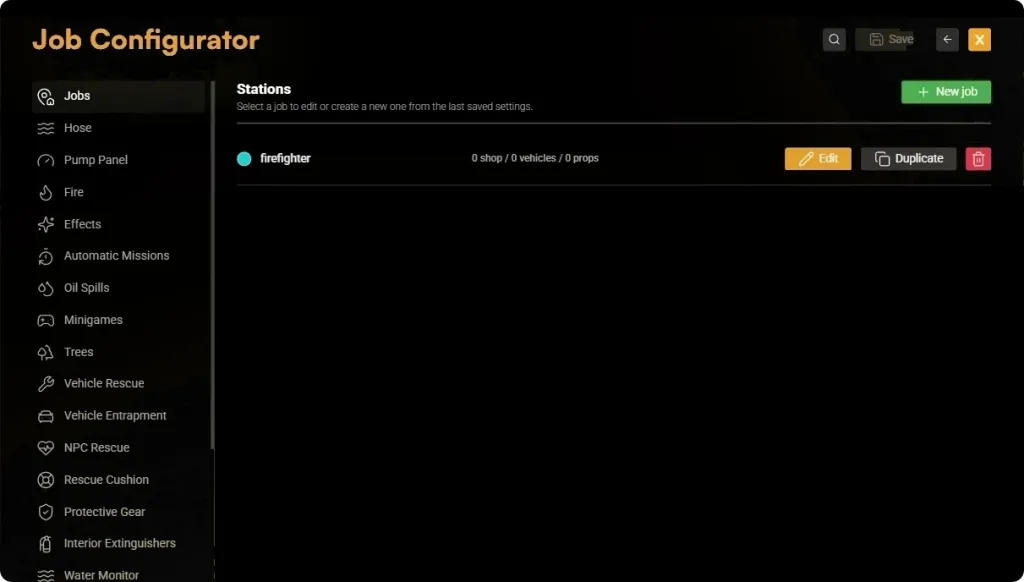
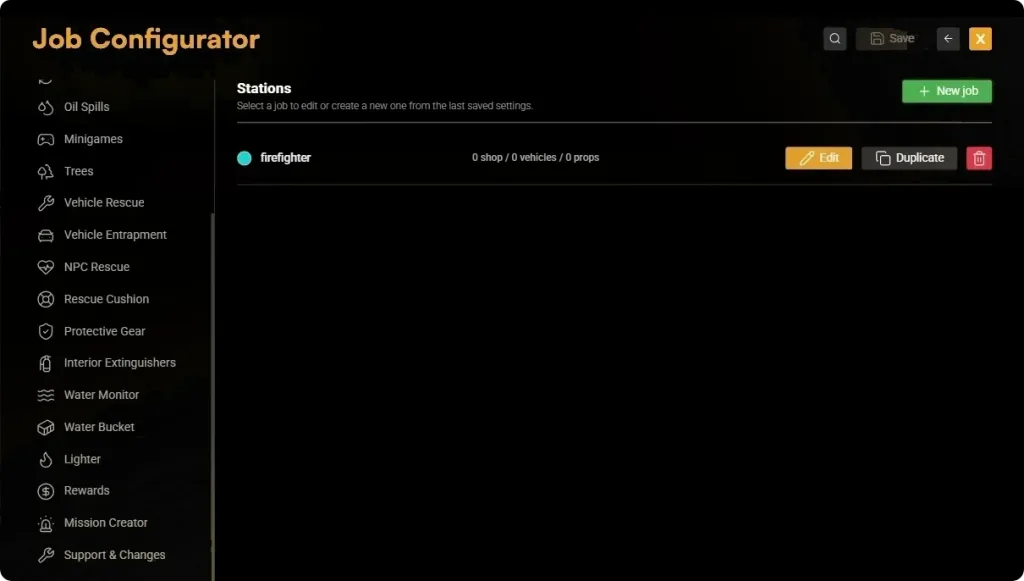
Configure this Fire System directly in-game through the shared /jobconfig menu. Create fire departments, customize stations and gameplay, and apply future updates without manually merging configuration files.
- Use /jobconfig to manage fire departments, stations, vehicles, equipment, and all gameplay settings directly from inside the server.
- Saved configurator changes apply automatically, so you do not need server or script restarts for normal configuration updates.
- Easily create new fire departments with their own stations, vehicle fleets, equipment, dispatch settings, permissions, and operational workflows.
Realistic Fire Simulation
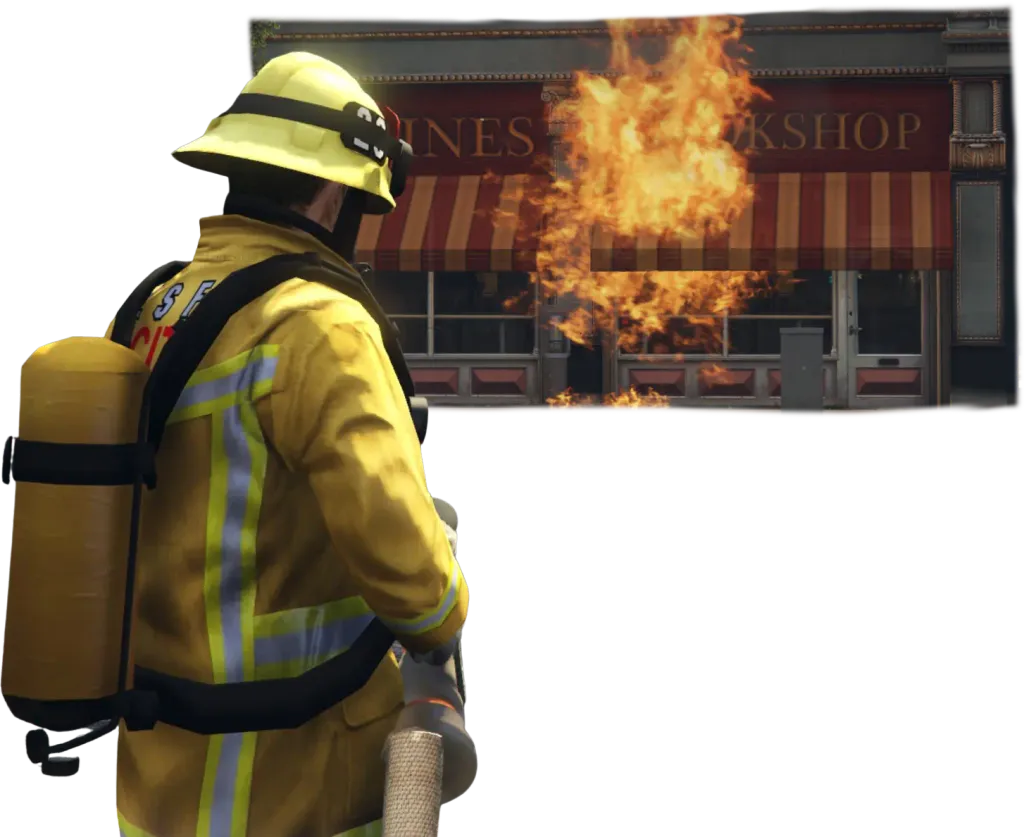
Experience a dynamic fire system that reacts to the environment, weather, and firefighting tactics. Every incident evolves differently, requiring proper decision-making, resource management, and realistic emergency response.
- Fires spread dynamically based on wind direction, weather conditions, surrounding materials, and whether the fire is indoors or outdoors. Every incident develops differently, creating unique firefighting challenges.
- Smoke intensity, density, and movement are influenced by the fire type and current wind conditions. Civilians and responders exposed to heavy smoke begin coughing, suffer smoke intoxication, and may eventually lose consciousness if they remain in hazardous conditions for too long.
- Respond to electrical, chemical, metal, trash, and other specialized fire types. Each fire requires the correct extinguishing method, and using the wrong extinguishing agent can cause the fire to intensify instead of being extinguished.
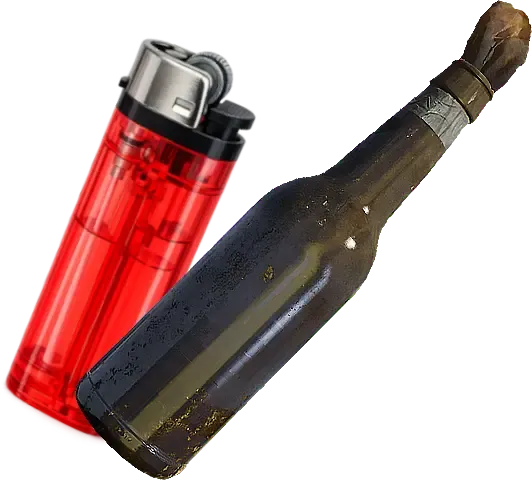
- Fires can start naturally through heavy vehicle collisions and explosions, be deliberately ignited using items such as Molotov cocktails or lighters, or be created as part of fully configurable scenarios with the integrated Mission Creator.
- Extreme temperatures create dangerous working conditions. Firefighter protective clothing offers significant heat resistance, but prolonged exposure to intense heat becomes life-threatening. High temperatures increase thirst, reduce endurance, and force crews to rotate personnel just like in real-world firefighting operations.
Vehicle Fires
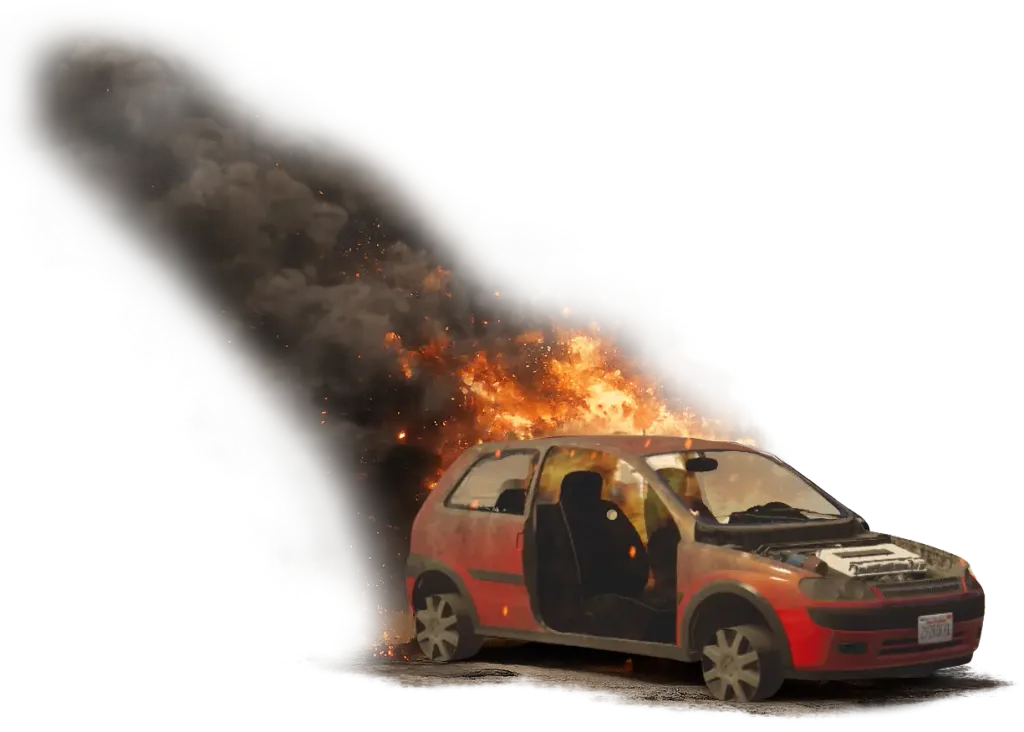
Transform GTA V's unrealistic vehicle fires into authentic emergency scenarios. Vehicles ignite for realistic reasons, require proper firefighting techniques, and can be fully configured to match your server's desired level of realism.
- Vehicle fires can be caused by intentional arson, severe traffic collisions or custom scenarios created with our included Mission Creator.
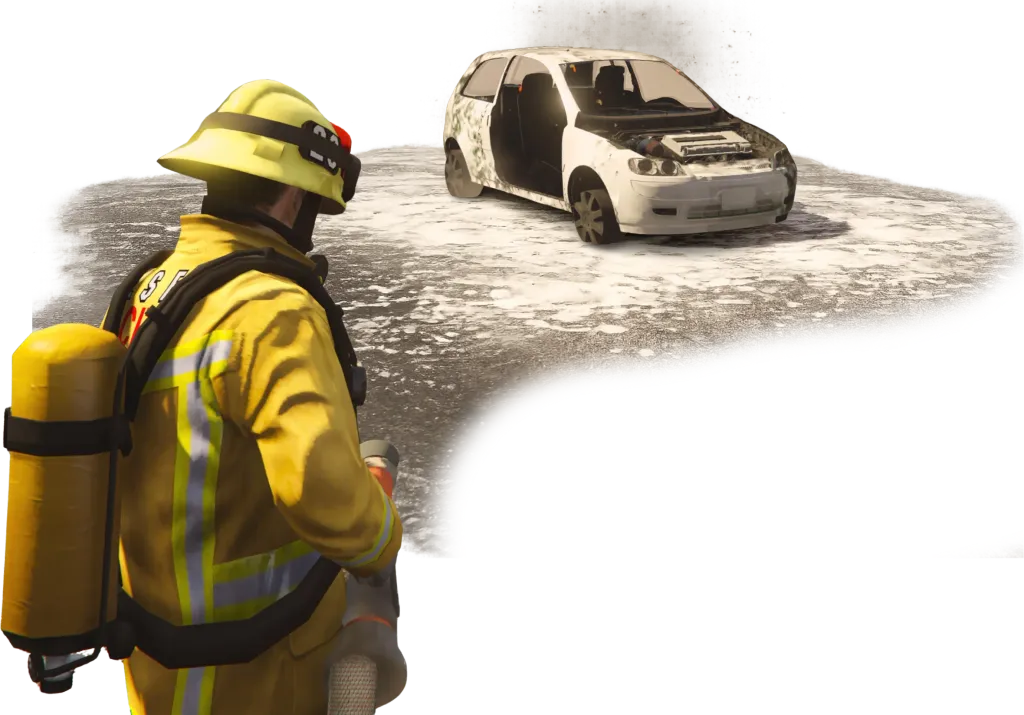
- Vehicle fires require the correct extinguishing agent. Firefighting foam effectively suppresses burning fuel, while using water can intensify the fire, encouraging realistic firefighting procedures.
- Unlike vanilla GTA V, burning vehicles do not explode immediately. Configure exactly how long a vehicle burns before exploding—or disable vehicle explosions entirely to match your server's realism.
- Seamlessly integrates with our Mechanic Job. Server owners can configure wear parts that, if neglected, increase the risk of engine fires, rewarding proper vehicle maintenance and creating new emergency scenarios.
Arson Investigation
Introduce realistic criminal fire scenarios with intentional arson. Criminals can deliberately ignite fires across the map, creating dynamic incidents that require both the Fire Department and Police to work together.
- Criminals can use a lighter to deliberately start fires on dumpsters, containers, vegetation, vehicles, and many other flammable objects, creating realistic emergency callouts across the server.
- Vehicles can be intentionally set on fire, resulting in realistic car fire incidents that require rapid intervention before the flames spread or trigger further explosions.
- After the Fire Department has extinguished the fire, police officers can search the scene for evidence to identify and prosecute the arsonist. This feature requires our Police Job resource and creates realistic cooperation between emergency services.
SCBA & Smoke Simulation
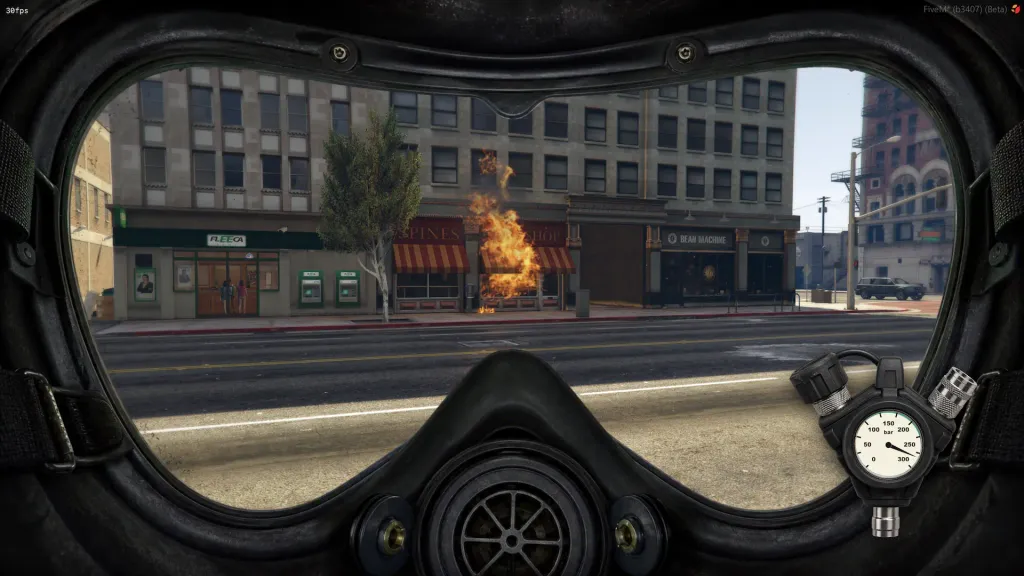
Protect firefighters with a fully simulated Self-Contained Breathing Apparatus (SCBA) system. Manage your air supply, navigate hazardous smoke conditions, and experience realistic breathing mechanics during every fire incident.
- Equip an SCBA either by using an inventory item or automatically through configured clothing components. Firefighters receive a functional pressure gauge that accurately displays the remaining air inside the cylinder.
- Air consumption is fully simulated and depends on firefighter activity. Running, climbing, and other physically demanding tasks consume significantly more air than standing or walking, encouraging realistic crew management.
- Smoke density, movement, and direction are influenced by both wind conditions and the type of fire. Civilians and responders exposed to heavy smoke begin coughing, suffer smoke inhalation, and may eventually lose consciousness if they remain in hazardous conditions without respiratory protection.
- For maximum realism, servers can optionally enforce a first-person SCBA mask overlay, simulating the limited field of view experienced while wearing a breathing apparatus.
- Empty SCBA cylinders can be refilled at configurable refill stations placed anywhere on the map, allowing departments to recreate realistic air supply logistics at fire stations or incident support areas.
Realistic Hose
Experience one of the most advanced firefighting hose systems available for FiveM. Deploy fully simulated fire hoses, choose the correct extinguishing agent for every situation, and manage your water supply just like a real fire department.
- Deploy a visible, realistic fire hose that connects firefighters to the fire engine. The hose behaves as a physical piece of equipment, creating immersive firefighting operations instead of simply spraying water from the player.
- Fight fires using either water or firefighting foam. Both extinguishing agents leave visible residue on roads, walls, buildings, vehicles, and other surfaces, making every firefighting operation look realistic.
- Different fire types require the correct extinguishing agent. Using water on metal fires, for example, will intensify the fire instead of putting it out, encouraging realistic firefighting tactics and proper decision-making.
- Fire engines carry a finite amount of water. To maintain a continuous water supply during larger incidents, vehicles can be connected to nearby fire hydrants, allowing crews to refill and operate without interruption.
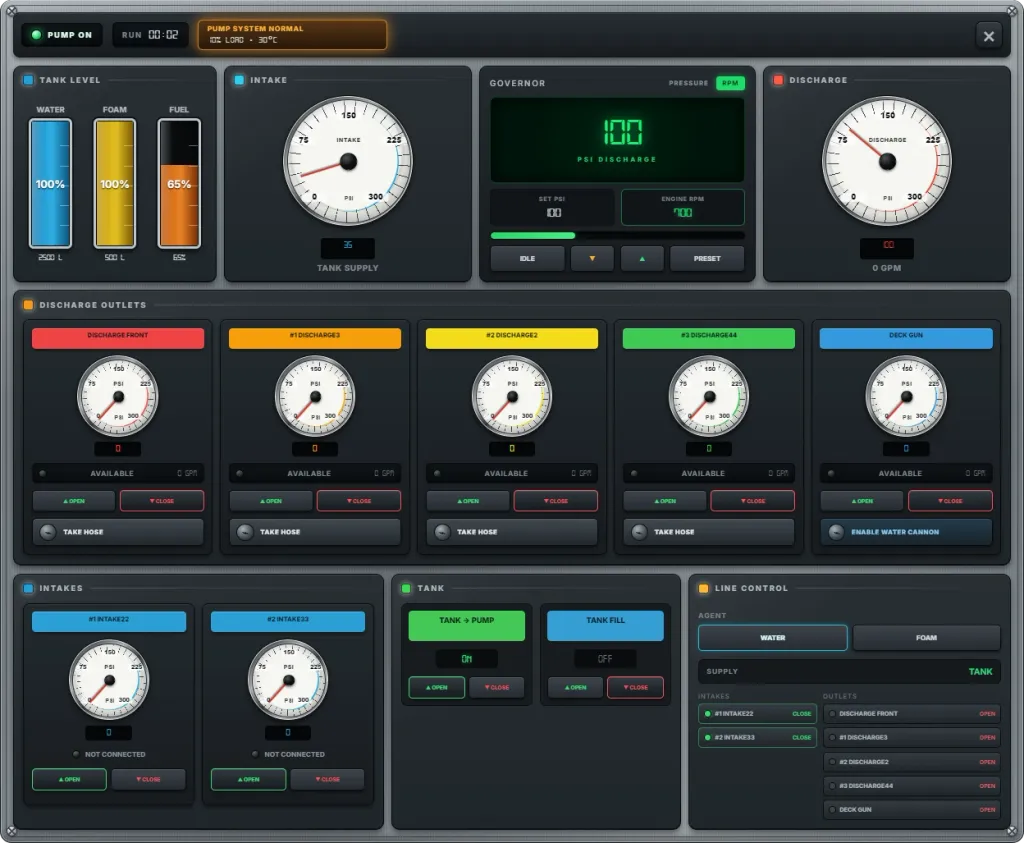
Advanced Pump Panel
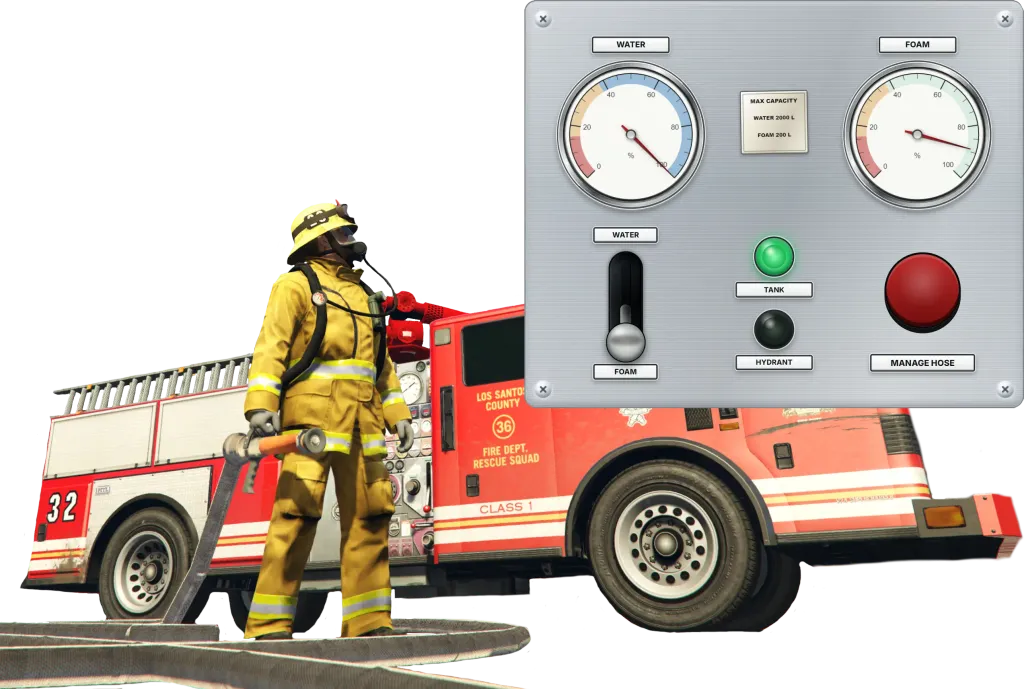
Take full control of the fire engine's water system through a detailed pump operator panel. Monitor tank levels, intake and discharge pressure, configure individual connections, and balance every active hose line from one interface.
- Start the vehicle pump, regulate discharge pressure, and monitor engine RPM from a purpose-built pump operator interface.
- Manage each configured intake and discharge separately, including its connection state, valve position, pressure, and current flow.
- Track water, foam, and fuel levels while monitoring the active supply source and every connected hose line in real time.
- Servers can choose between a streamlined pump workflow and the fully enhanced panel to match their preferred level of firefighting detail.
Hydrants & Water Pumps
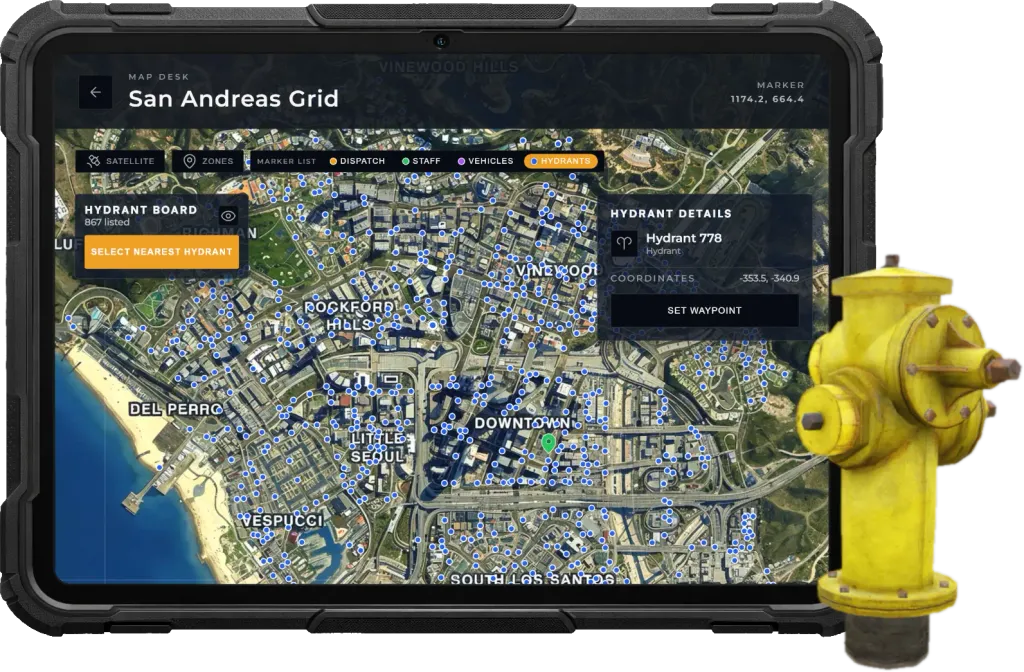
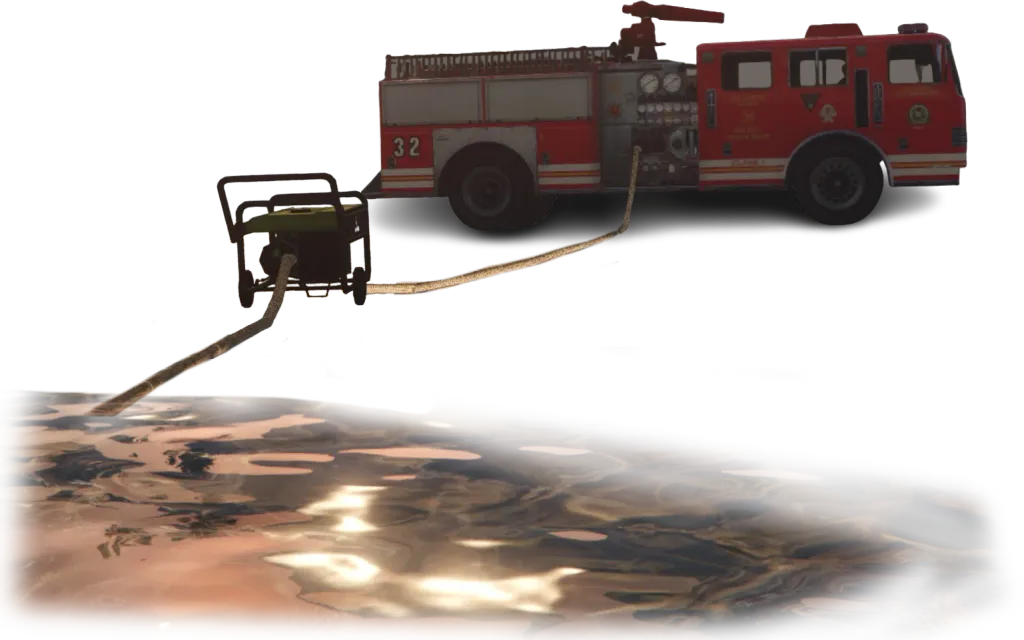
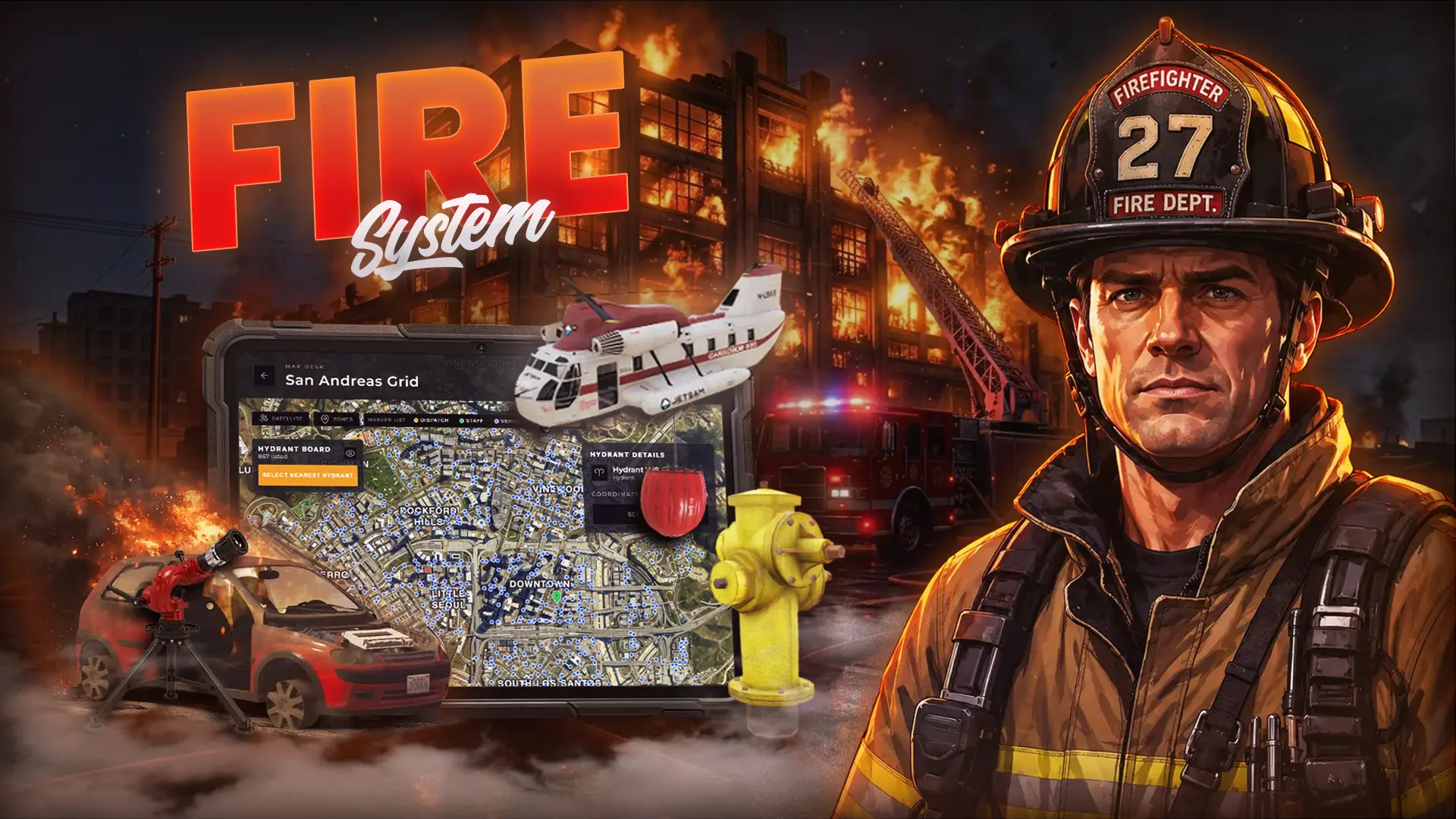
Manage your water supply just like a real fire department. Connect fire engines to hydrants, draft water from natural sources using portable pumps, and locate every hydrant directly from the integrated tablet map.
- Every fire engine carries a limited amount of water. Once the onboard tank is depleted, crews must establish a new water supply to continue firefighting operations.
- Connect fire engines directly to nearby fire hydrants to provide a continuous water supply during structure fires and other long-lasting incidents, eliminating the need to rely solely on the vehicle's water tank.
- When no hydrants are available, firefighters can deploy portable pumps to draft water from natural sources such as rivers, lakes, or ponds, ensuring a reliable water supply even in remote locations.
- Every fire hydrant on the server is displayed directly on the Fire Department Tablet map, allowing crews to instantly locate the nearest water source and plan their response more efficiently.
Deployable Water Monitor
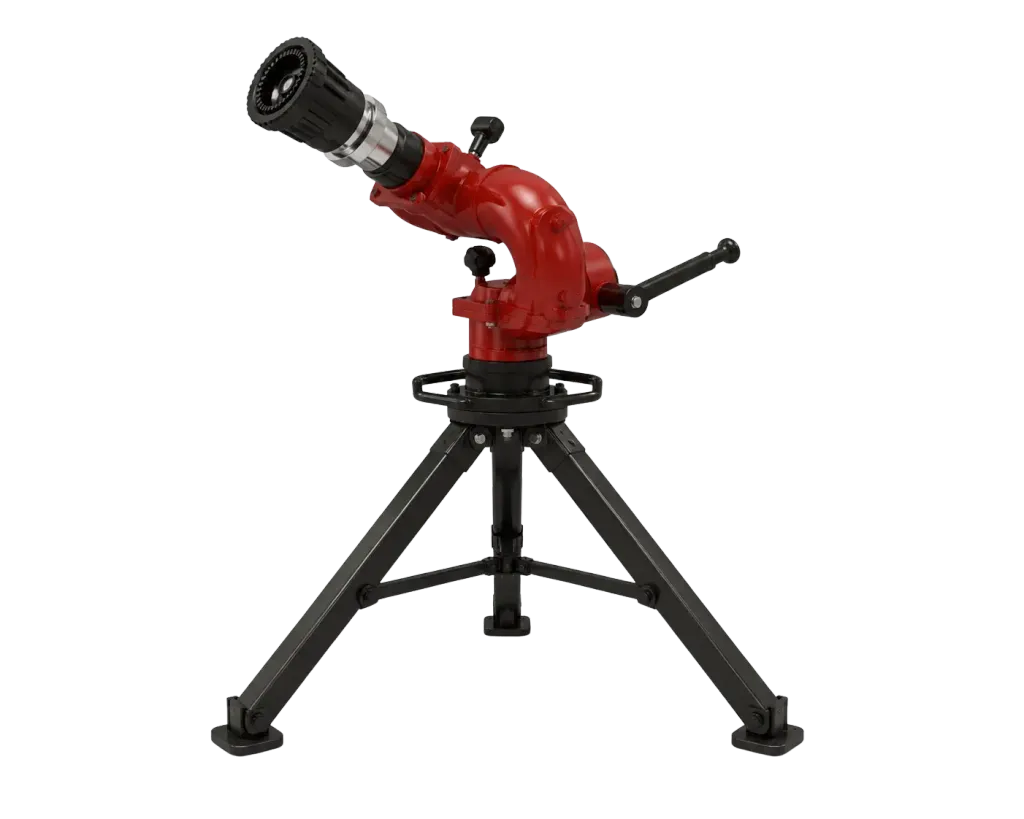
Control large and intense fires with a fully deployable ground water monitor. Position it strategically, connect it to the hose system, and adjust the water stream for powerful, sustained fire suppression.
- Deploy a portable water monitor to deliver a powerful, continuous water stream during large fires, industrial incidents, vehicle fires, or situations where handheld hose lines are not enough.
- After placement, firefighters can rotate the monitor and adjust the vertical pitch of the nozzle to precisely control the direction and angle of the water stream.
- Includes a purpose-built custom water monitor model designed to fit naturally into firefighter scenes and deliver a more realistic visual experience.
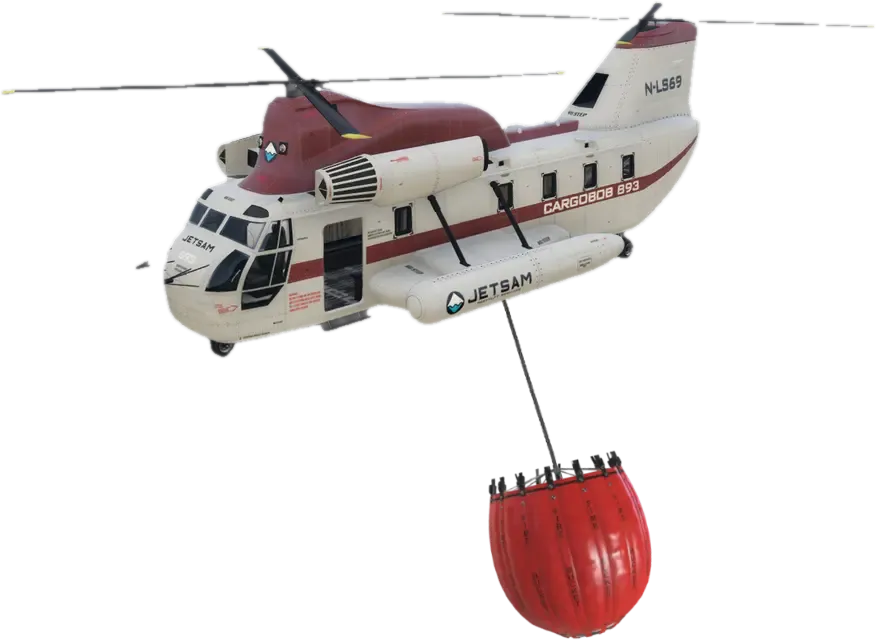
Helicopter Fire Bucket
Fight large-scale wildfires and remote incidents from the air with a fully simulated helicopter fire bucket. Refill from natural water sources, transport thousands of liters overhead, and perform precision water drops where ground crews cannot easily reach.
- Refill the helicopter bucket by lowering it into lakes, rivers, reservoirs, or the ocean. Pilots must locate suitable water sources before returning to the fire for the next drop.
- Release large volumes of water directly above the fire with immersive water effects, creating spectacular and realistic aerial firefighting operations.
- The system features a high-quality custom helicopter bucket suspended beneath configured helicopters by a realistic rope, creating an authentic aerial firefighting experience.
Oil Spills
Handle hazardous oil spills with authentic firefighting procedures. Secure the scene, eliminate the hazard using proper cleanup techniques, and protect both civilians and traffic from dangerous road conditions.
- Vehicles can leak oil after severe collisions, creating realistic hazardous material incidents. When combined with our Mechanic Job, configurable worn vehicle components can also cause oil leaks due to poor maintenance.
- Oil spills are more than visual effects—they create genuine dangers. Pedestrians can slip and injure themselves, while vehicles lose traction, increasing the risk of secondary accidents if the spill is not cleaned up.
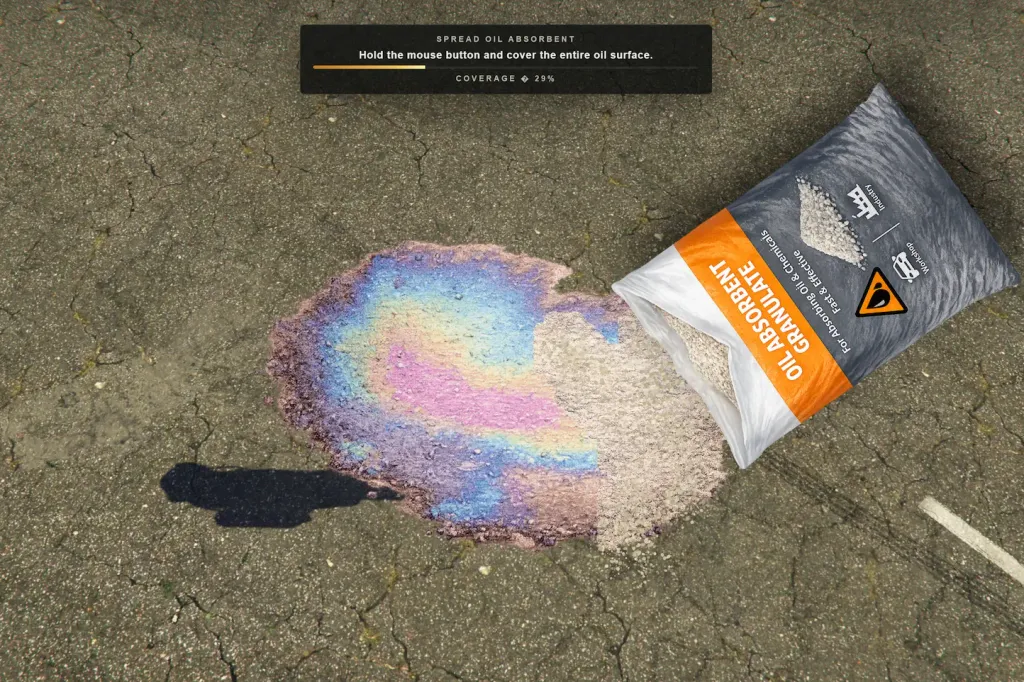
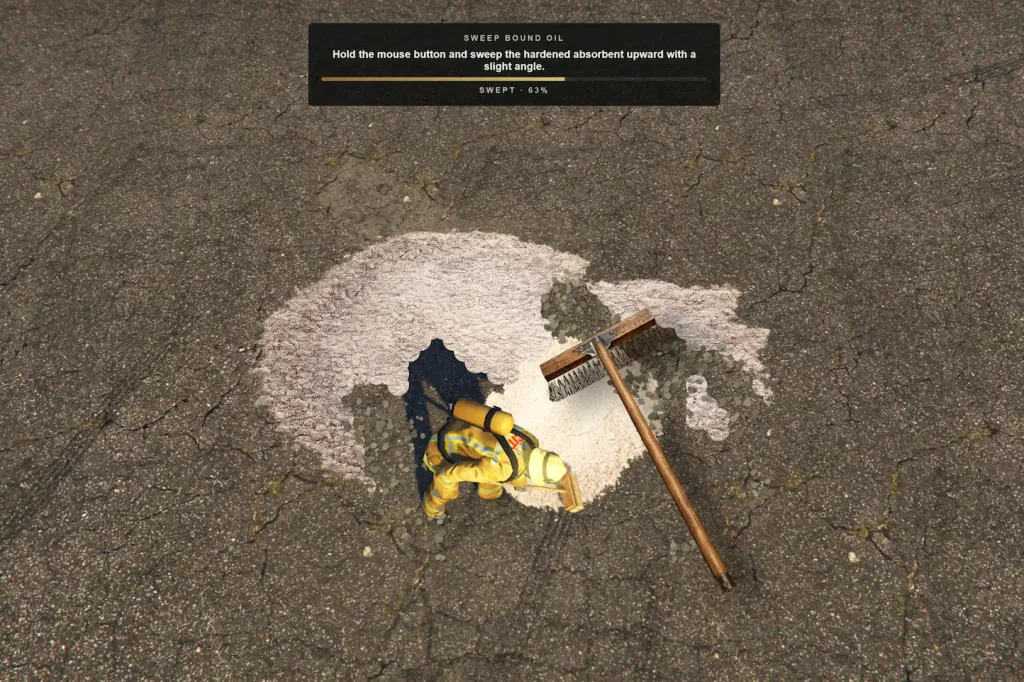
- Firefighters must first apply oil absorbent to bind the spill before sweeping it away. The entire cleanup process features immersive animations and interactive minigames, recreating real-world firefighting procedures.
- Custom ground props clearly represent both untreated oil spills and oil that has already been covered with absorbent, allowing firefighters and other players to visually follow the cleanup progress in real time.
Vehicle Rescue
Respond to serious traffic collisions with a fully interactive vehicle extrication system. Rescue trapped players or NPCs using realistic tools, animations, custom equipment props, and immersive minigames.
- Players can become trapped inside vehicles after severe collisions. NPC entrapment scenarios can also be created and customized through the integrated Mission Creator.
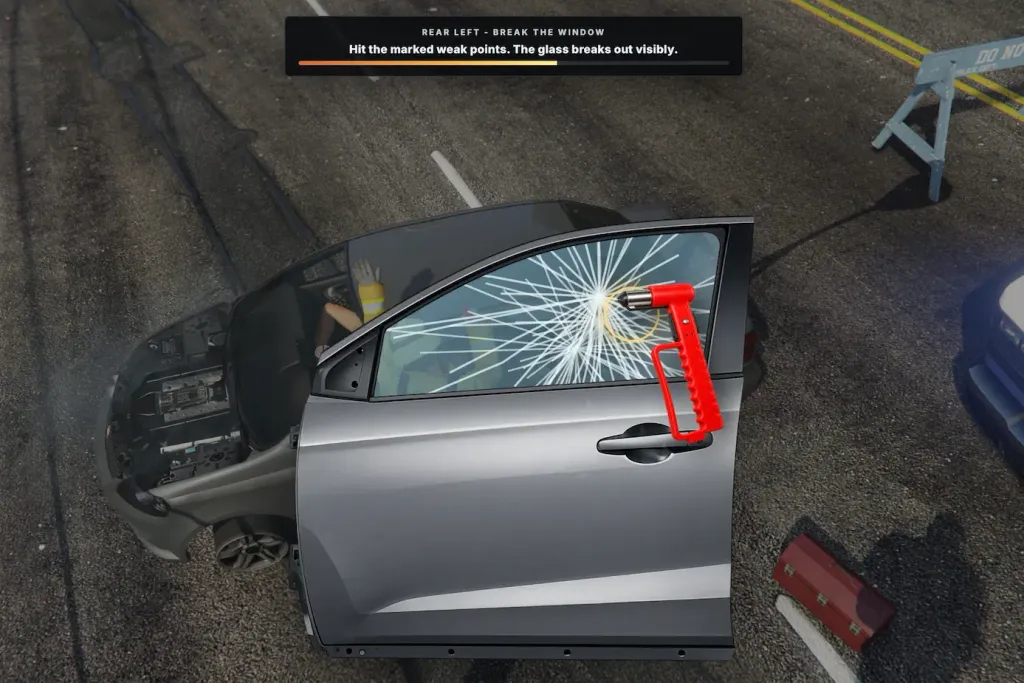
- Firefighters must first use a glass hammer to break the vehicle window. The process includes a matching tool prop, realistic animations, and an immersive minigame that simulates safely removing the glass.
- After gaining access through the window, firefighters use a hydraulic spreader to force the vehicle door open. A dedicated minigame, custom spreader prop, and synchronized animations create an authentic extrication process.
- Once the door has been successfully removed, it visibly detaches and falls from the vehicle. The trapped person can then be safely accessed and rescued by emergency personnel.
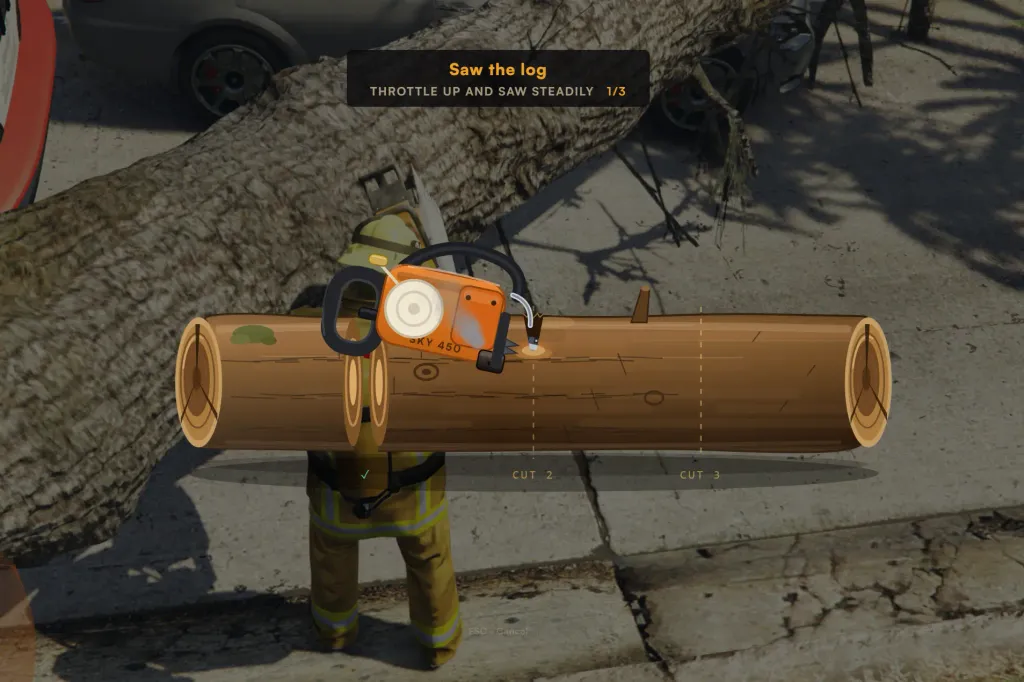
Fallen Tree Removal
Respond to storm damage and clear blocked roads with a fully interactive tree removal system. Use realistic firefighting equipment, immersive animations, and engaging minigames to restore safe access for traffic.
- Create fully customizable fallen tree scenarios using the integrated Mission Creator. Design anything from a single tree blocking a rural road to large-scale storm emergencies with multiple hazards.
- Equip a detailed chainsaw complete with realistic animations, authentic engine sounds, and an immersive cutting minigame. Firefighters must safely cut fallen trees into manageable sections before they can be removed.
- After cutting the tree, each log section becomes an individual object that firefighters must carry away by hand, creating a realistic and engaging cleanup process instead of instantly deleting the obstacle.
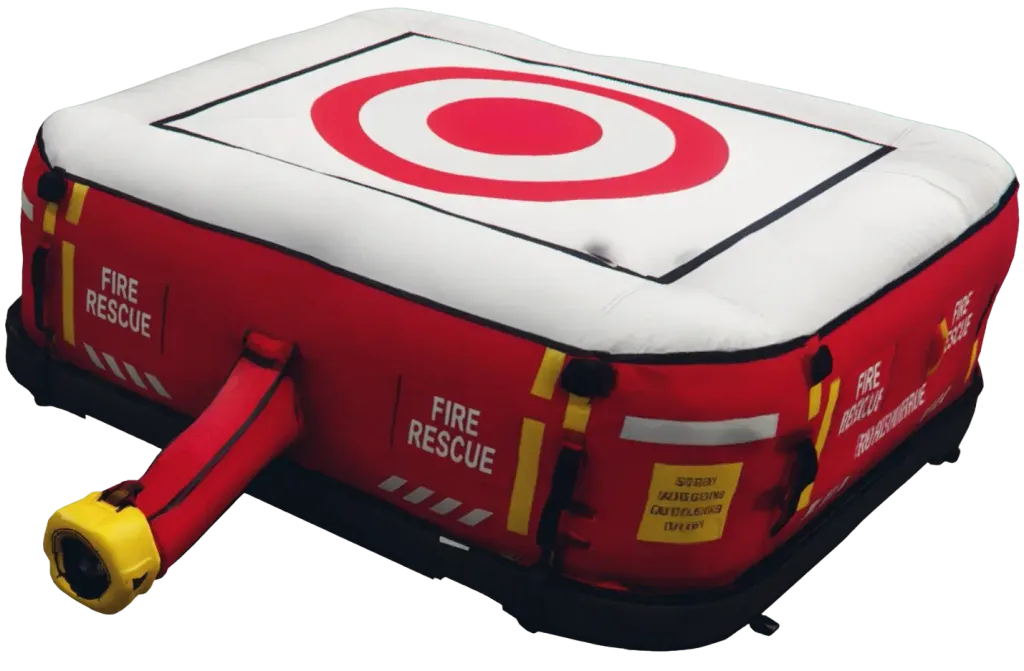
Inflatable Rescue Cushion
Deploy an inflatable rescue cushion during high-angle emergencies such as building fires or suicide attempts. Firefighters can position the cushion precisely beneath endangered individuals to create a safer landing area.
- Firefighters can deploy the rescue cushion during building fires, rooftop rescues, suicide attempts, or other incidents where a person is at risk of falling from height.
- After using the rescue cushion item, a ghosted transparent preview appears in front of the firefighter, allowing precise positioning before placing it into the world.
- Move and rotate the preview to align the cushion beneath windows, balconies, rooftops, or other elevated positions before confirming deployment.
- The deployed cushion provides a designated landing area for endangered civilians, adding an immersive and practical option for handling high-angle emergency scenarios.
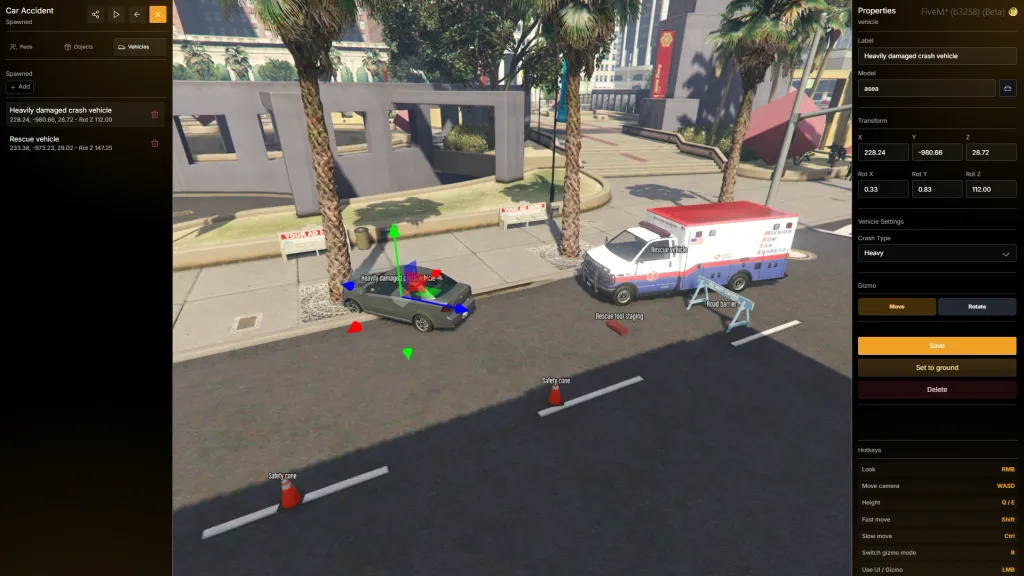
Mission Creator
Build fully customizable emergency scenarios without writing a single line of code. Create your own missions, combine multiple incident types into complex operations, and share them with the community through the integrated Mission Hub.
- Create your own firefighter missions using an intuitive in-game editor. Design everything from simple callouts to large-scale emergency scenarios without requiring scripting knowledge.
- Choose from a wide variety of configurable tasks including structure fires, vehicle fires, oil spills, fallen tree removal, technical vehicle rescues, search and rescue operations, animal rescues, and much more.
- Build realistic multi-stage incidents by combining different tasks into a single mission. Create complex scenarios such as traffic accidents with trapped victims, leaking fuel, vehicle fires, and hazardous materials—all within one dynamic operation.
- Bring your missions to life by placing props, vehicles, NPCs, animals, and other world objects to create immersive and believable emergency scenes.
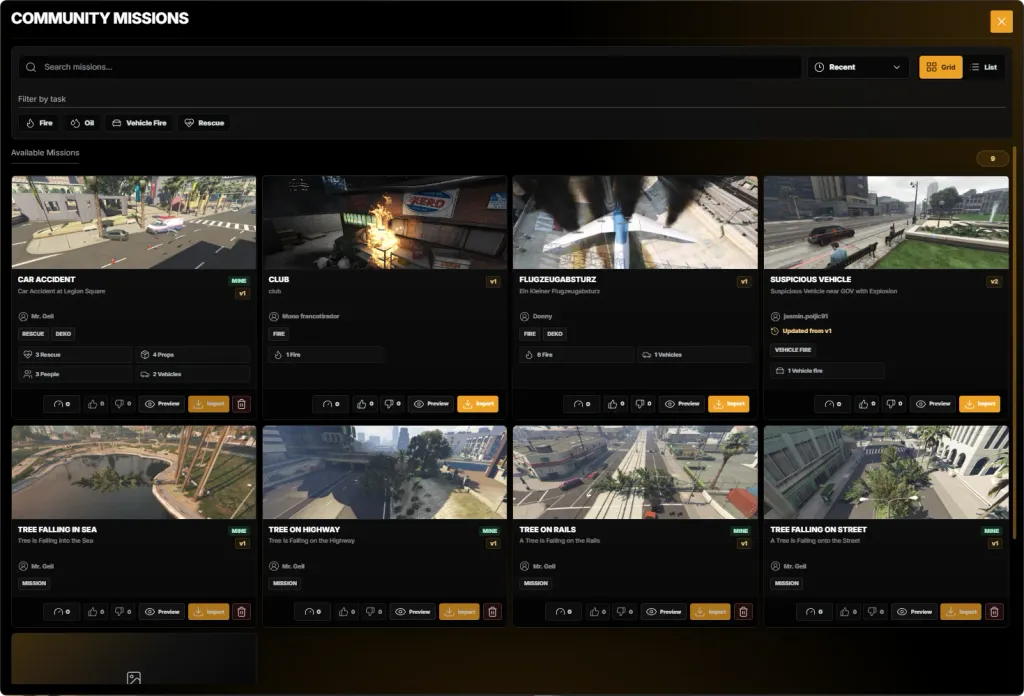
Mission Hub
Discover, share, and import community-built emergency scenarios directly in game. The Mission Hub connects server owners through a growing library of ready-to-play missions.
- Explore public missions created by other server owners and quickly find new emergency scenarios for your fire department.
- Search the Mission Hub and filter missions by task type to find scenarios that fit your server and its roleplay style.
- Import community-made missions with a single click and make them available on your server without manually rebuilding each scenario.
- Publish your own missions to the community and help other servers expand their emergency response gameplay.
MDT Tablet
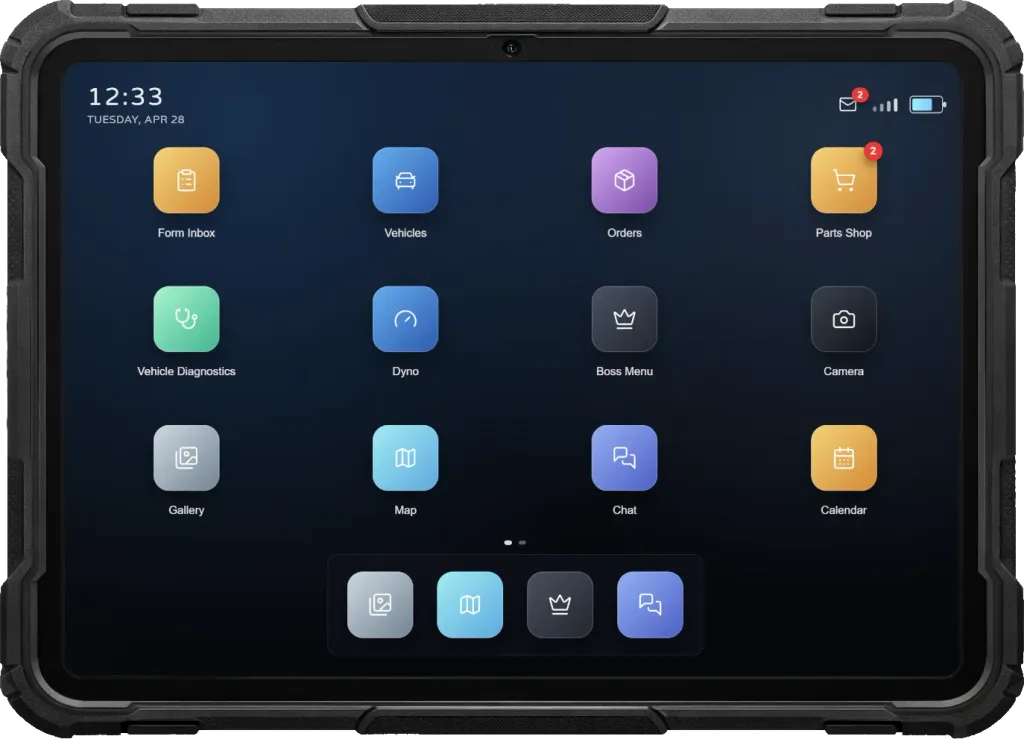
A fully integrated fire department tablet built directly into the script. Firefighters gain access to powerful apps for communication, incident management, documentation, media capture, and organization—creating a complete digital workspace for modern emergency response.
- The script includes its own complete fire department tablet system. Firefighters can access all apps through a modern, immersive interface designed specifically for emergency service roleplay.
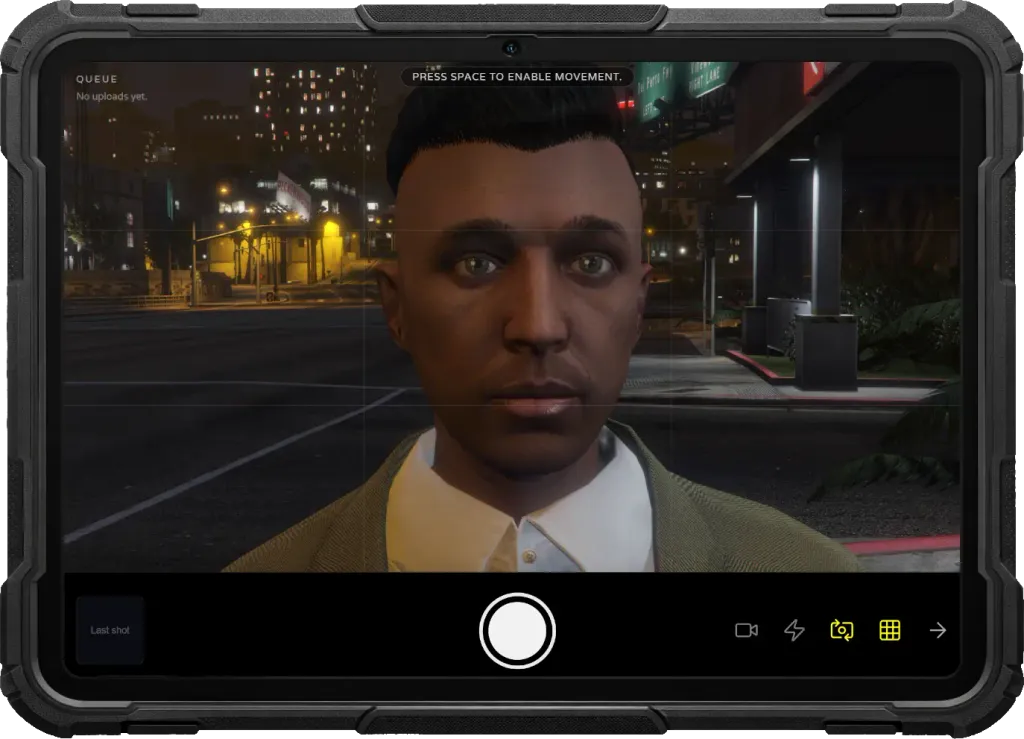
- Capture photos directly from the tablet using the built-in camera app and store them in the gallery. Images can be reviewed, managed, and attached to incident reports, rescue operations, and team conversations.
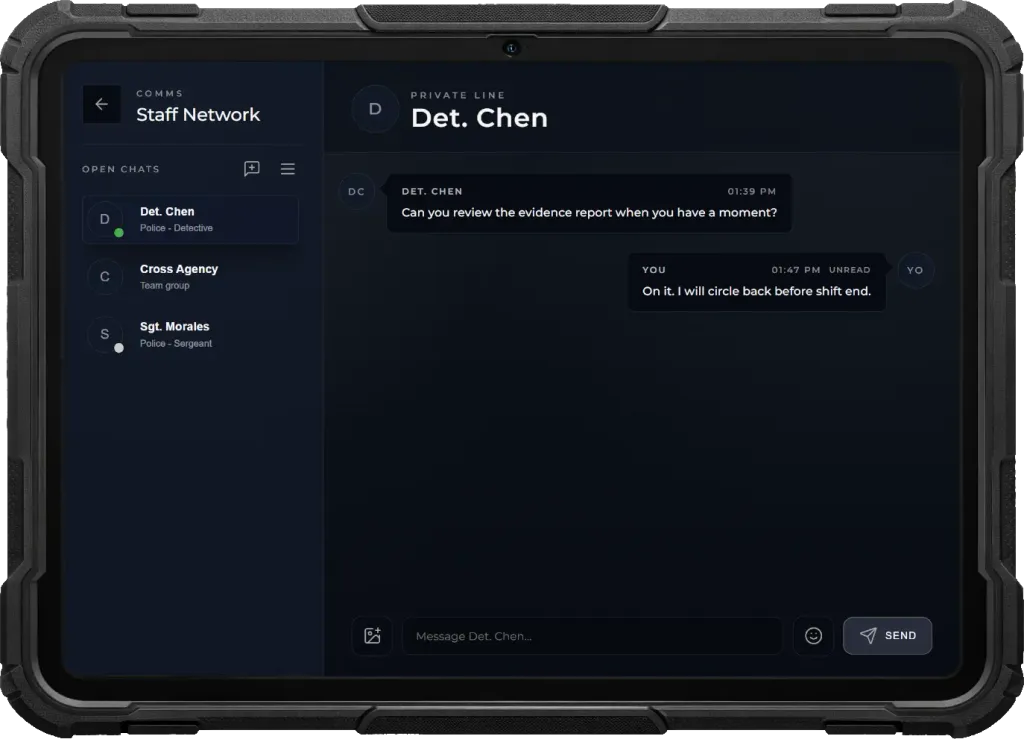
- Communicate with all firefighters or partner emergency services through the integrated chat app. Create private chats or group conversations, share images, use emojis, view read receipts, and receive real-time push notifications.
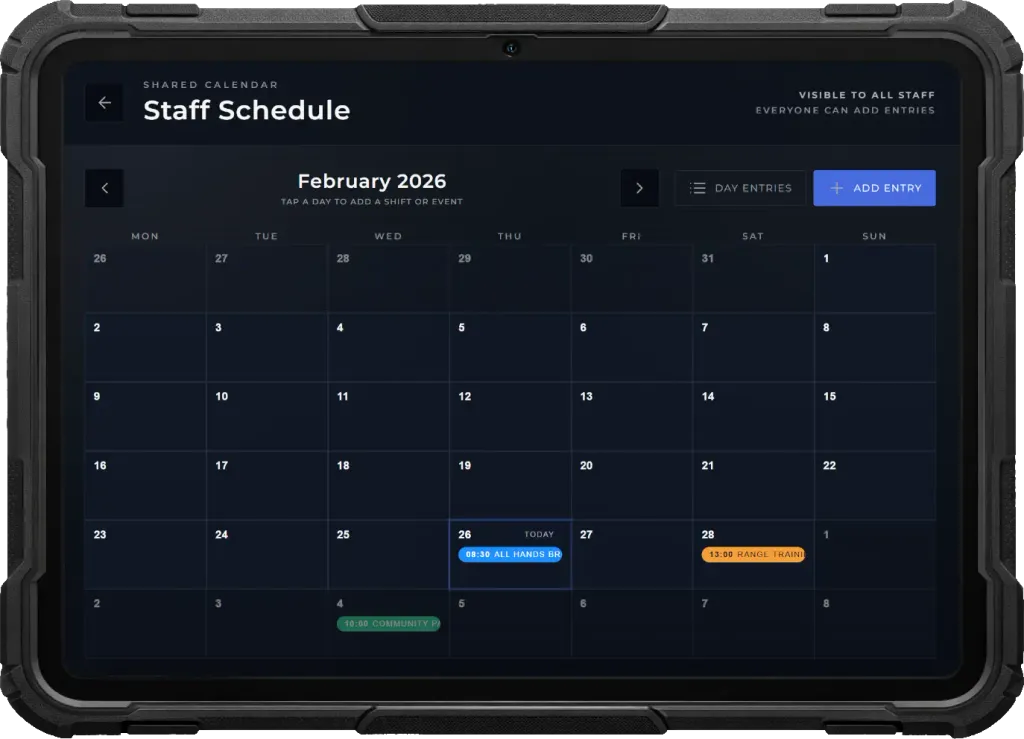
- Plan training sessions, scheduled events, maintenance, and department appointments using the integrated calendar. All personnel receive automatic push notifications for upcoming events and important reminders.
- Customize the tablet with light or dark mode and choose your own background image. Every firefighter can personalize the tablet to match their preferences.
Dispatch & Live Map
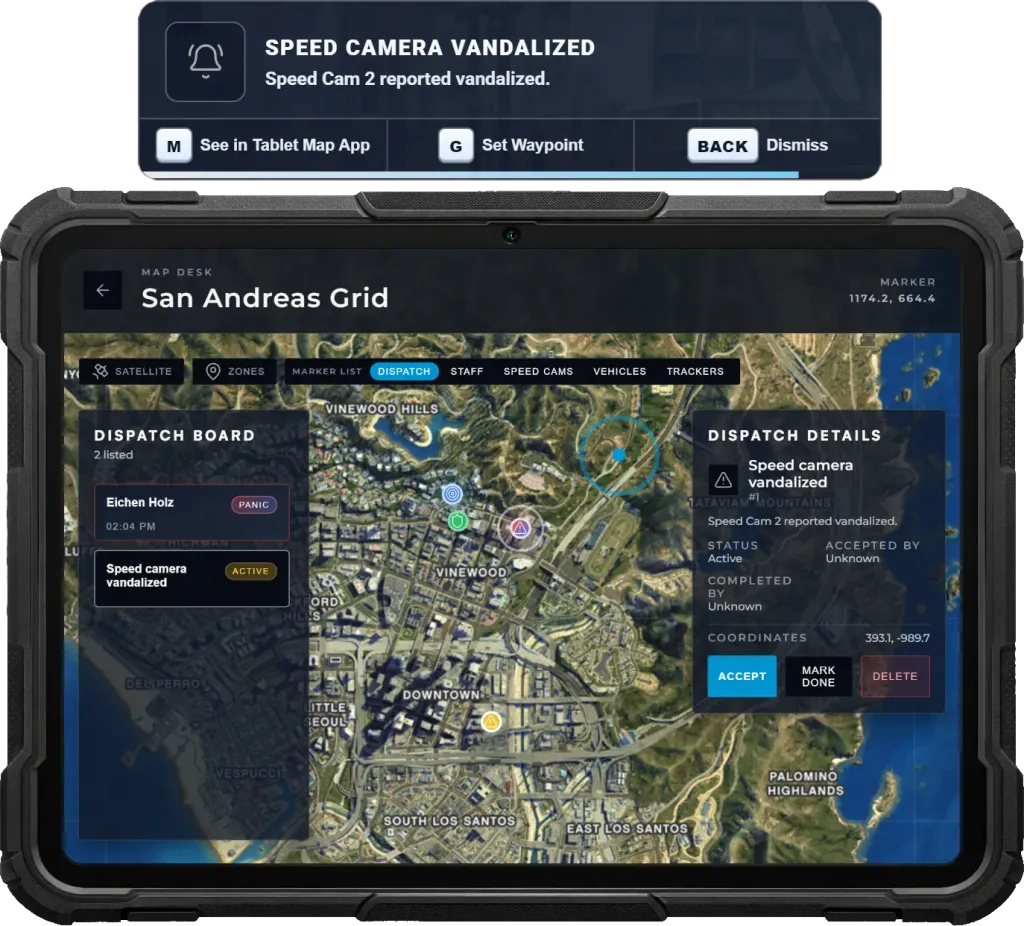
Coordinate emergency units and respond to incidents efficiently using the integrated dispatch and live map system. Track firefighters, emergency vehicles, active incidents, and nearby fire hydrants in real time while managing emergency calls directly from the tablet.
- View all active firefighters, fire apparatus, ambulances, ongoing incidents, and every fire hydrant on the map in real time. Hydrant locations are always available, allowing crews to quickly identify the nearest water source during emergency operations.
- Incoming emergency calls trigger instant push notifications with quick actions. Firefighters can open the dispatch, set a waypoint immediately, or dismiss the alert depending on the situation.
- Within the map app, personnel can accept dispatches, mark incidents as completed, or remove them once resolved. This ensures efficient coordination and prevents multiple units from responding unnecessarily.
Panic & Ping
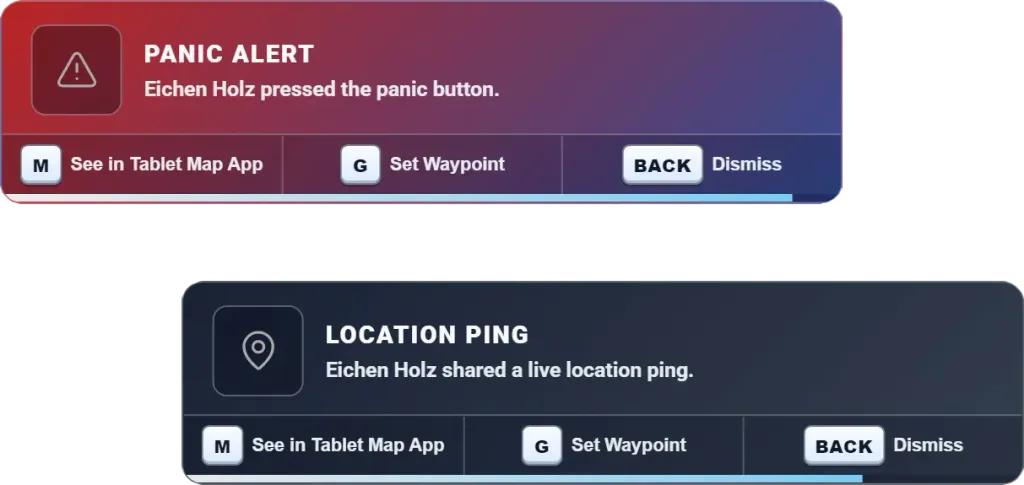
Give firefighters instant ways to request assistance or share locations using dedicated hotkeys. Emergency alerts notify all on-duty personnel during critical incidents, while quick location pings improve coordination at fires, rescues, and large-scale operations.
- Firefighters can press a hotkey to instantly trigger an emergency assistance alert. All on-duty personnel receive a high-priority notification with sound, ensuring a rapid response when additional crews or immediate help are required.
- Emergency alerts include quick action keybinds directly in the notification, allowing personnel to instantly open the incident in the tablet map, set a waypoint, or dismiss the alert.
- A separate hotkey allows firefighters to instantly share their current position without triggering an emergency alert. Perfect for coordinating operations during large incidents.
Exclusion Zones
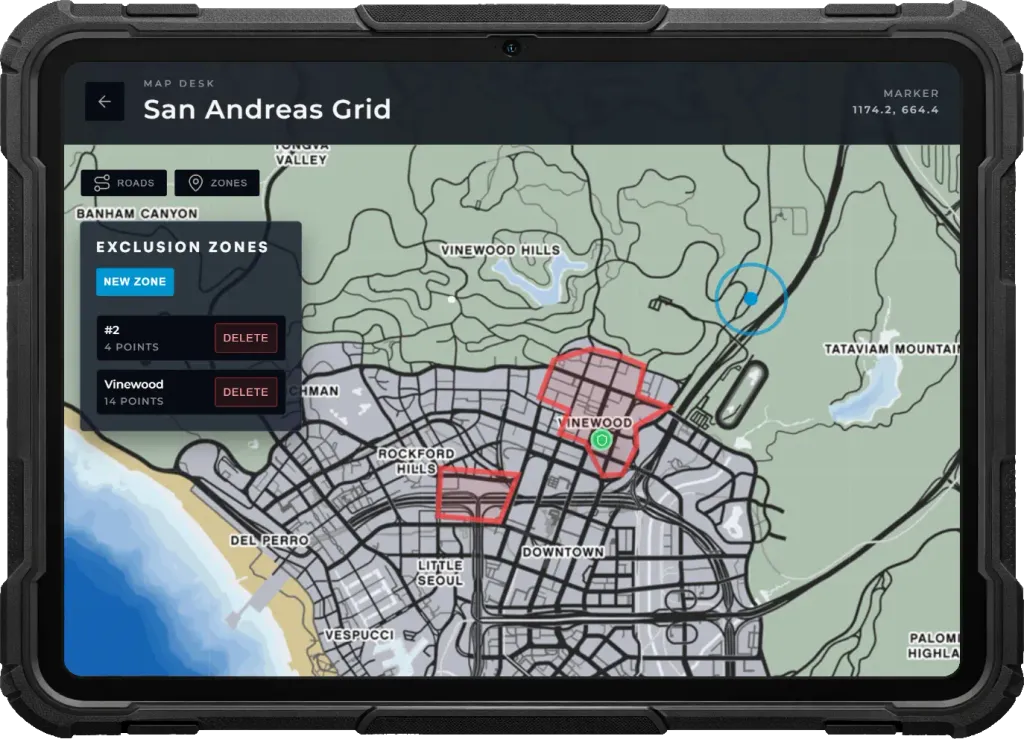
Define and manage restricted emergency areas dynamically using the tablet map. Firefighters can draw custom zones around fires, rescue scenes, hazardous materials incidents, or other dangerous locations while keeping players informed and preventing unwanted NPC activity.
- Firefighters can create exclusion zones directly from the tablet map by drawing any custom shape. This allows precise coverage around fire scenes, accident sites, collapsed structures, hazardous areas, or large-scale emergencies.
- Create and manage multiple exclusion zones simultaneously, each with its own name and reason. This makes it possible to control several active incidents or hazardous areas across the map at the same time.
- All active exclusion zones appear on the in-game map for players, clearly marking dangerous or restricted areas and improving awareness around ongoing emergency operations.
- NPCs will not spawn inside exclusion zones, creating clean and controlled environments for firefighting, technical rescue, hazardous materials incidents, and other emergency scenarios.
Body & Dashcams
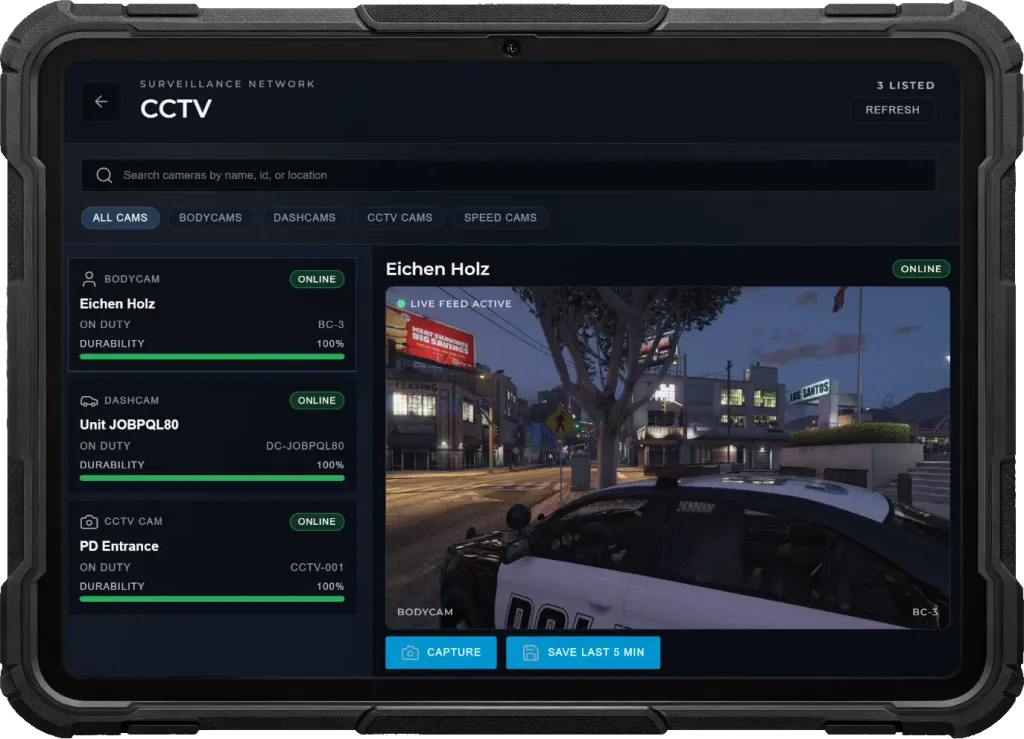
Expand situational awareness with integrated helmet and vehicle-mounted cameras. Monitor firefighters in real time through the tablet, capture incident footage directly from live feeds, and maintain visibility across active crews and emergency vehicles.
- Each on-duty firefighter streams a live helmet camera feed accessible through the tablet. Command staff can instantly switch between perspectives to monitor incidents, rescues, and firefighting operations as they unfold.
- Camera integrity mirrors its source condition—helmet cameras reflect the firefighter's condition while vehicle cameras reflect vehicle health. Signal quality degrades as damage increases, and feeds are lost if the firefighter becomes incapacitated or the vehicle is destroyed.
- Tablet users can capture snapshots directly from live camera feeds or save the last five minutes of buffered footage as video. All media is automatically stored in the integrated gallery for incident documentation and review.
- Every fire department vehicle includes an integrated camera accessible through the same tablet interface, providing live monitoring during emergency responses, rescues, and large-scale operations.
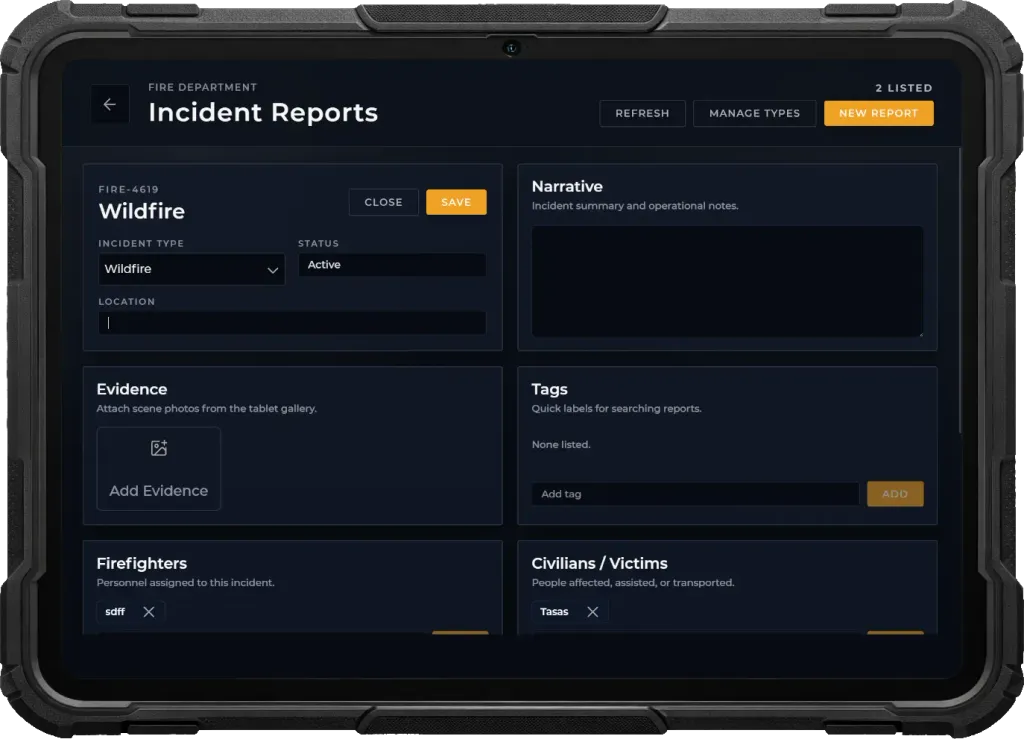
Incident Reports
Document every emergency with the fully integrated Reports app. Create detailed incident reports, customize incident types, attach evidence, and maintain complete records of every response directly from the Fire Department Tablet.
- Create professional incident reports for every emergency. Record the incident location, title, description, timestamps, and all relevant operational details in a structured documentation system.
- Define and manage your own incident categories such as Structure Fire, Vehicle Fire, Medical Assist, Technical Rescue, Hazardous Materials, False Alarm, or any custom report type that fits your department.
- Attach photos directly from the integrated tablet gallery, add custom tags, document involved firefighters and civilians, and keep all evidence linked to the incident report for easy review.
- Record hazards encountered, actions taken, and equipment used throughout the incident. Create detailed documentation of suppression efforts, rescue operations, hazardous materials, and all deployed resources for complete after-action reporting.
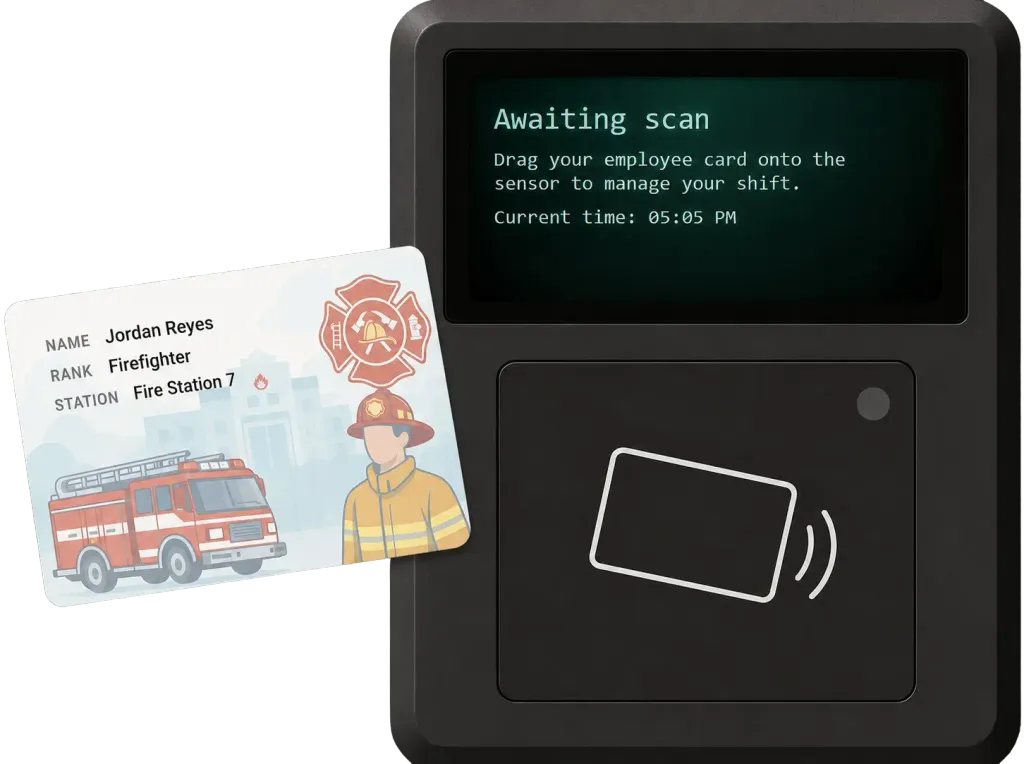
On/Off Duty System
Staff clock in with a realistic duty terminal, track hours automatically, and stay synced with the rest of your infrastructure.
- Players drag their employee ID across the sensor to start or end a shift, just like in real life.
- Shifts log total hours and trigger salary payments.
- Interactions, tools, and menus only work when the player is actively clocked in.
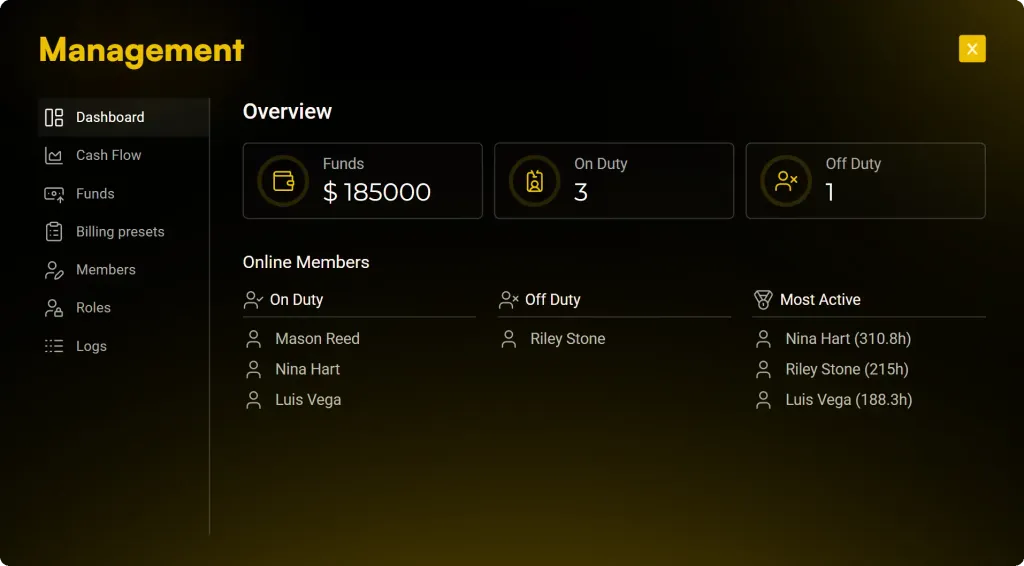
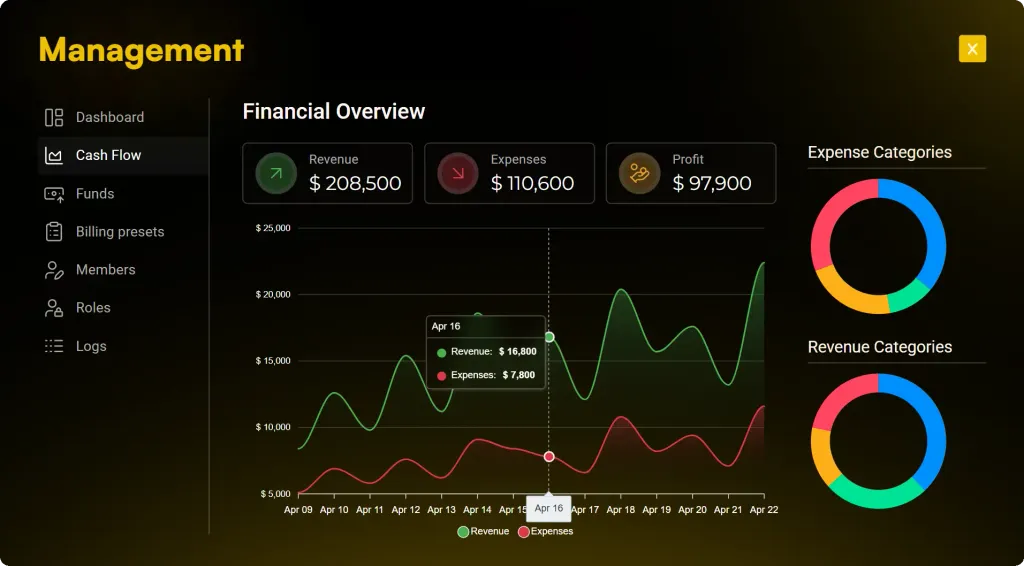
Next-Gen Boss Menu
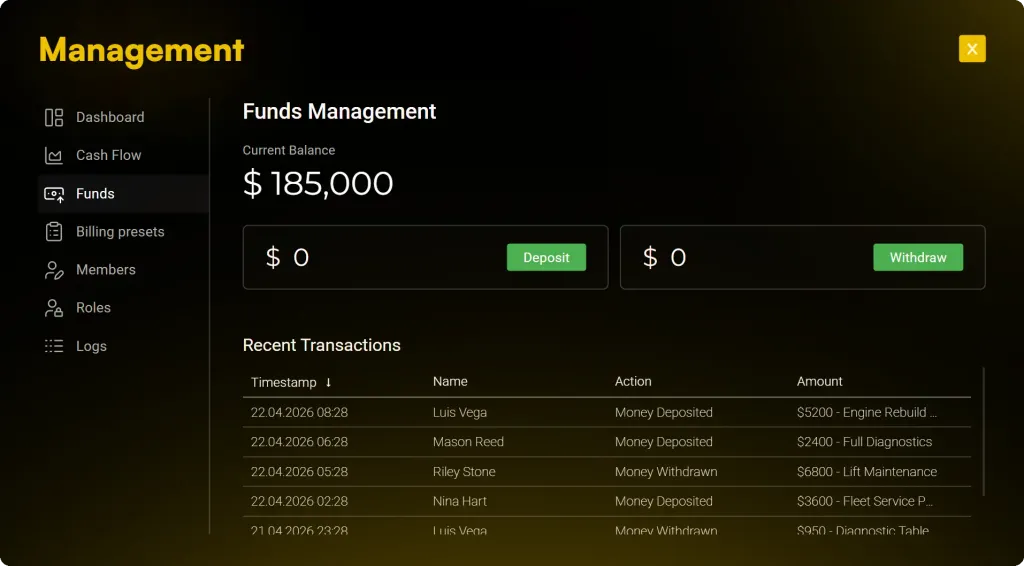
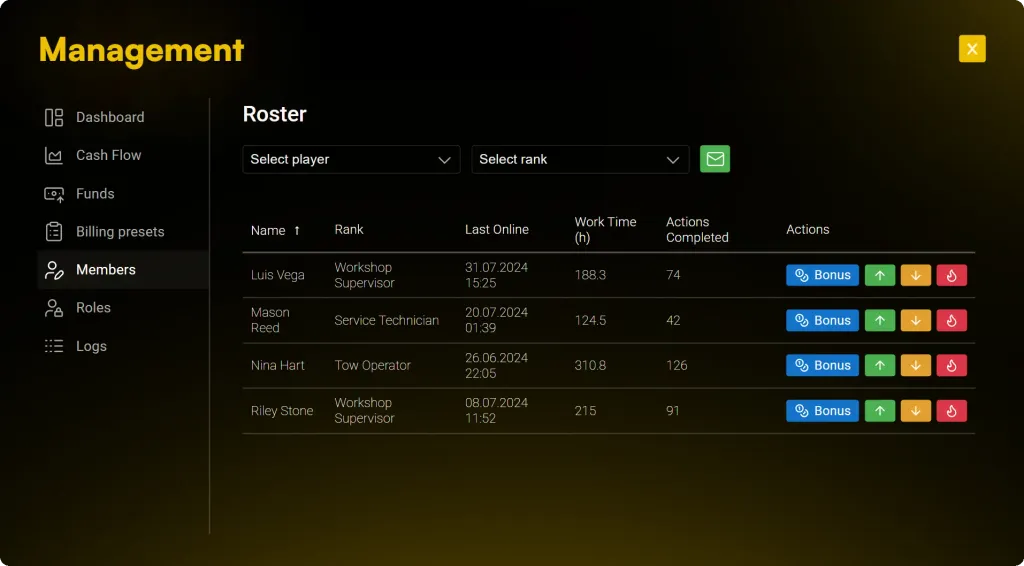
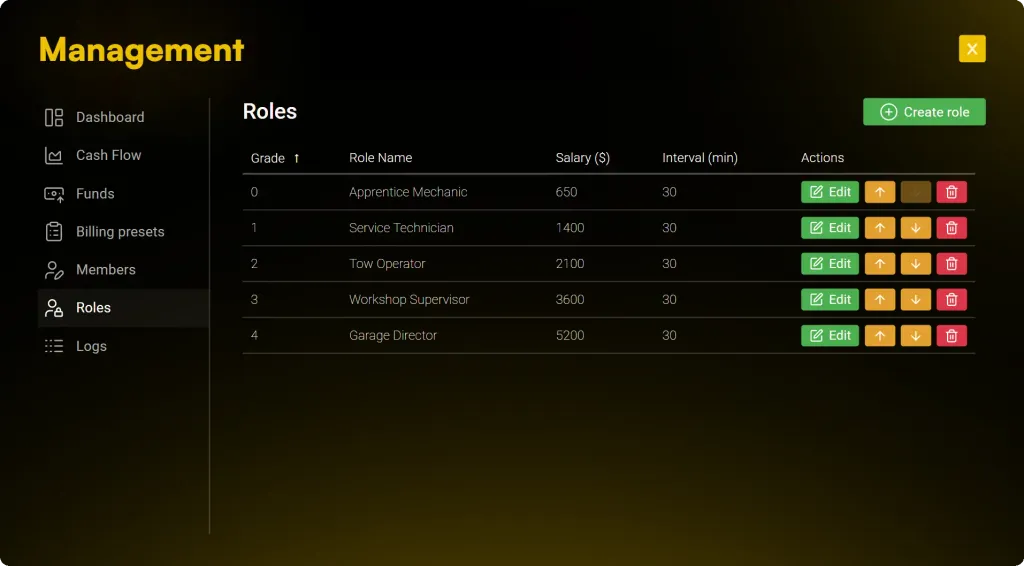
Built for leadership, designed for servers that run smoothly without admin babysitting. This boss menu gives your organization the power to manage itself—handle finances, staff, roles, and permissions internally, without requiring server staff to intervene.
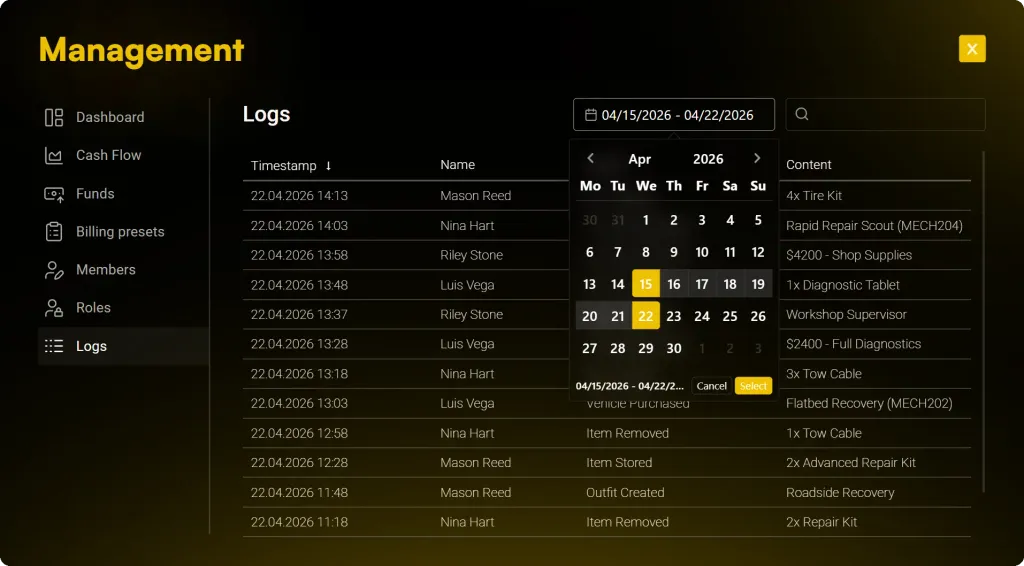
- Give faction management a complete financial overview—track profits, expenses, payments, and cashflow with statistics and transparent audit logs.
- Faction leaders can invite, promote, demote, remove, or reward staff with ease. Keep your fire department structured and efficient without involving server admins.
- Every withdrawal, payout, storage interaction, and sensitive action is automatically logged. Leaders always know who did what, improving trust and accountability inside the organization.
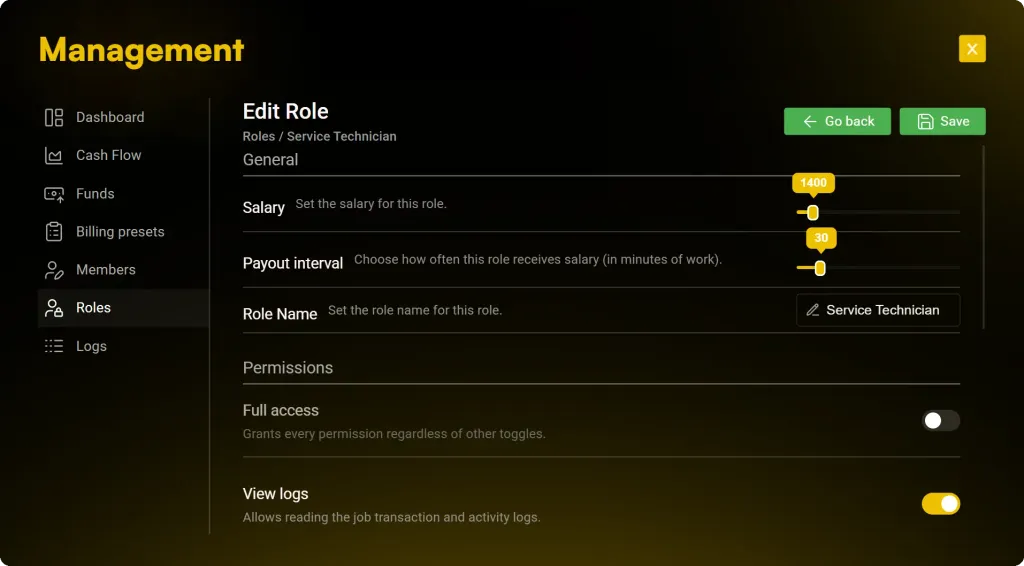
- Faction management can fully configure role-based permissions—from finances to storage to staffing. The organization controls its own structure securely.
- Faction leadership can manage all roles internally. Adjust salaries, set payout intervals, and—on ESX servers—create, move, reorder, or delete roles entirely without admin help.
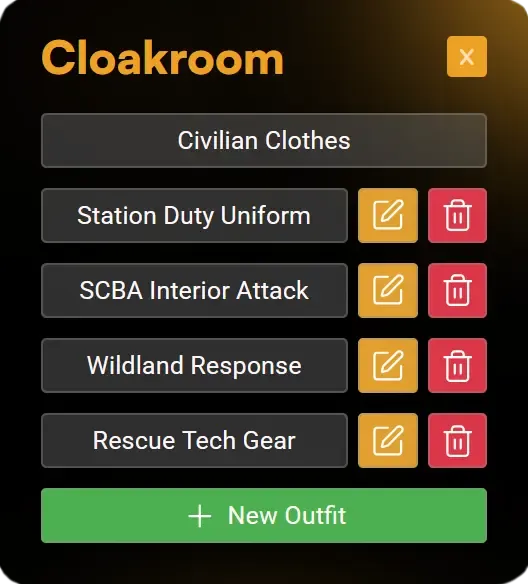
Cloakroom
ESX servers get a self-serve wardrobe system so outfits stay consistent and under leadership control.
- Use the boss menu to decide which roles can create, edit, or delete outfits in the cloakroom.
- Leadership designs the official uniforms or casual looks once and every staff member can equip them instantly.
- Only ESX servers get this built-in cloakroom; QBCore and Qbox crews keep using their own appearance scripts.
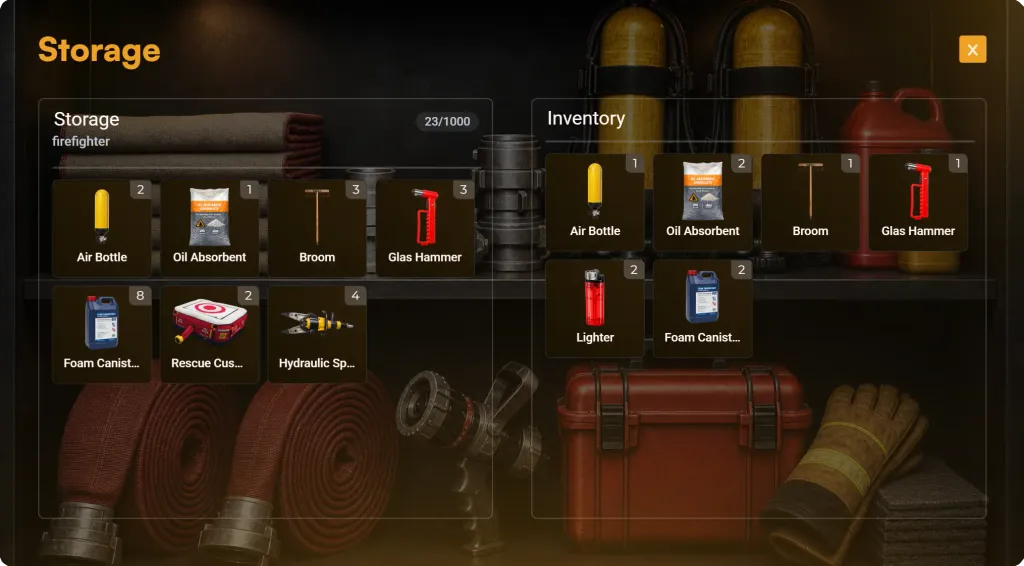
Storage & Supplies
Give fire department leadership full control over firefighting equipment, rescue gear, and operational supplies with organization storage, personal lockers, and persistent vehicle compartments.
- Leadership controls access to the main storage and can restrict firefighting equipment, rescue tools, medical supplies, and protective gear to specific ranks, ensuring proper authorization and inventory control.
- Each firefighter has a private locker to securely store personal protective equipment, uniforms, medical kits, and other job-related gear between shifts.
- Fire department vehicles feature persistent equipment compartments, allowing hoses, rescue tools, extinguishers, medical equipment, and other supplies to remain stored with the vehicle even after server restarts.
- Departments can use organization funds to purchase tools and operational gear in bulk from the wholesale supplier.
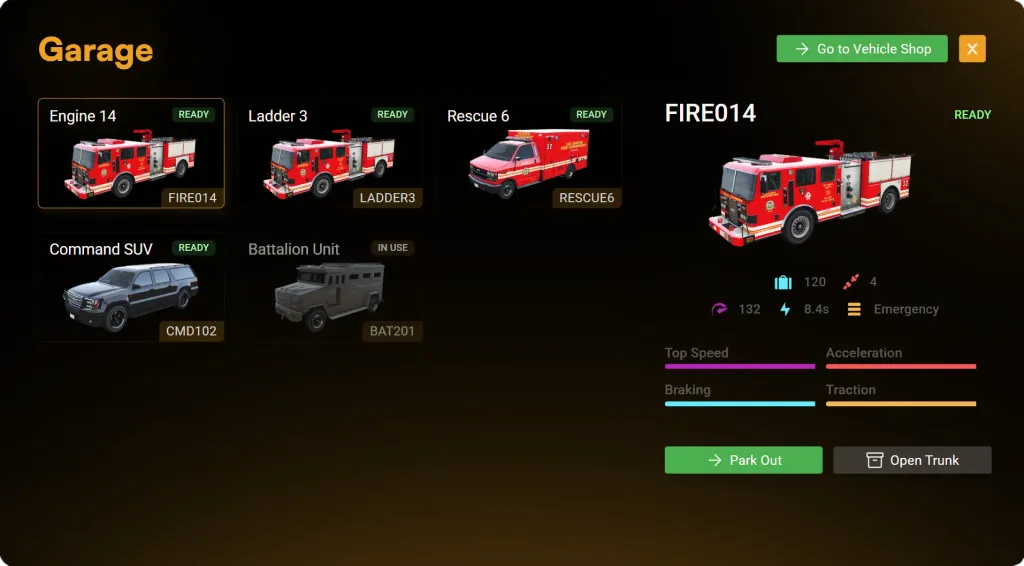
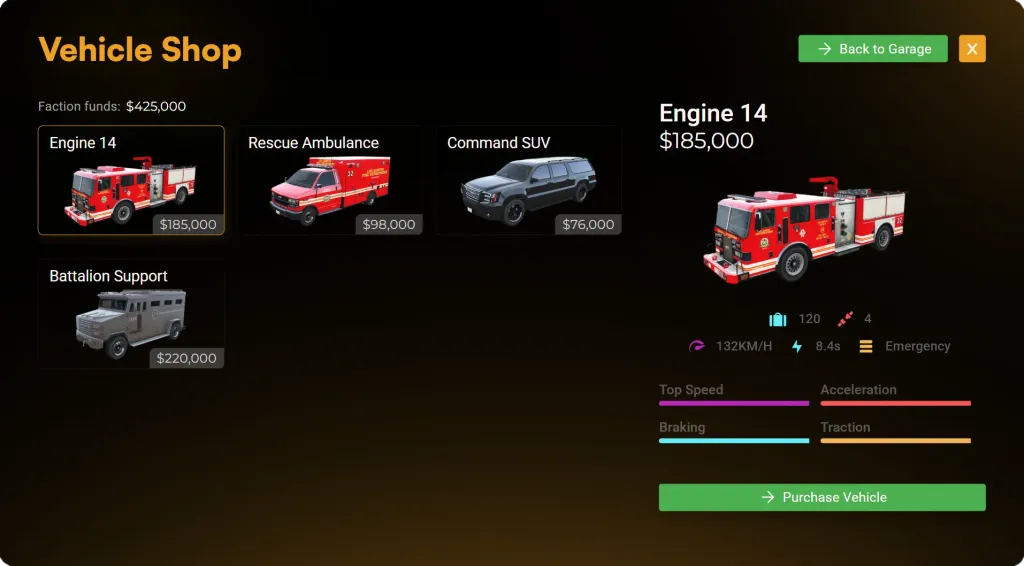
Garage & Vehicle Shop
Separate garages for ground, air and water units let leadership buy, store, and manage every fleet vehicle with persistent gear.
- Cars and helicopters live in their own garages so crews grab exactly what they need.
- Leadership spends organization money to buy a limited number of vehicles, keeping the fleet under control.
- Every job vehicle includes a trunk with storage that survives server restarts.
Prop Placement
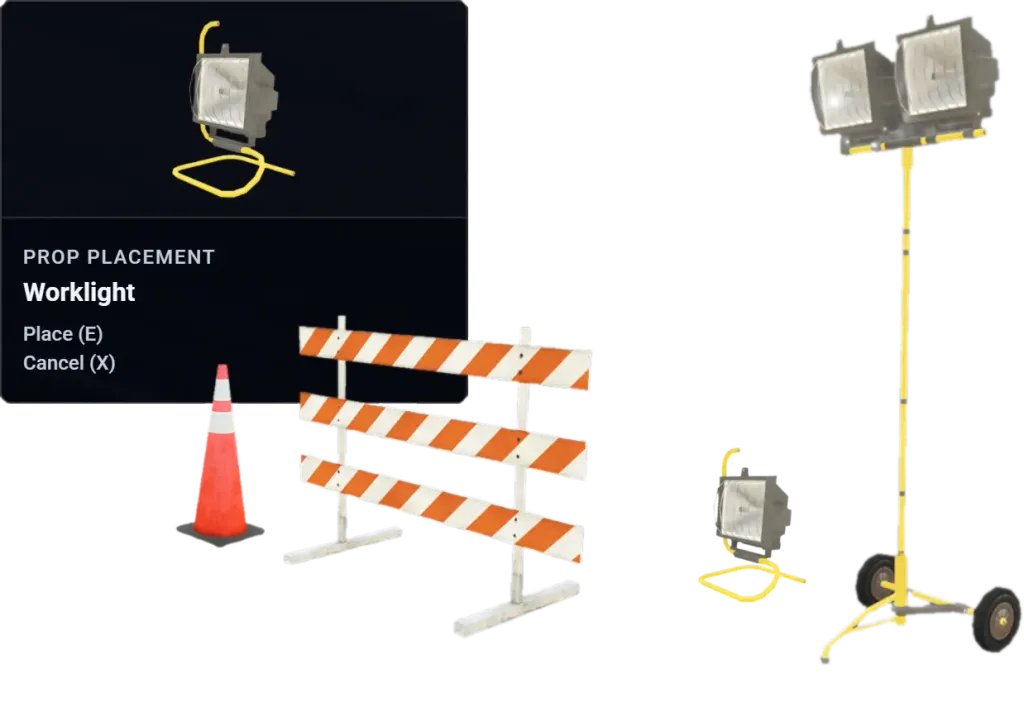
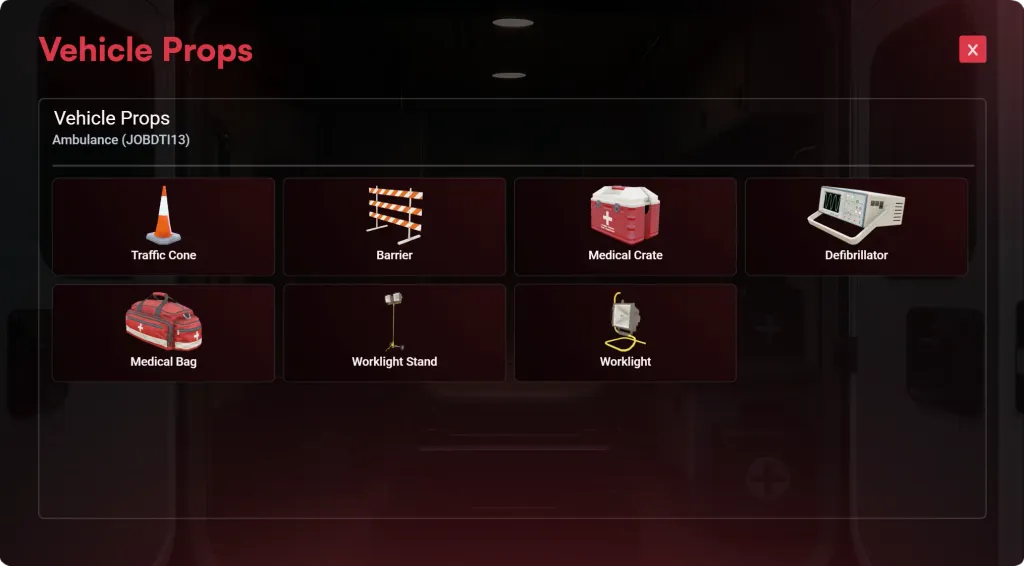
Give staff the ability to deploy props directly from their vehicle trunk. A guided placement mode lets them preview, position, and spawn equipment precisely, while cleanup stays fast through the radial menu.
- Authorized staff can access a prop list directly inside the vehicle trunk UI and select which equipment or scene prop they want to deploy.
- After selecting a prop, a ghosted transparent preview appears in front of the player, allowing precise positioning before spawning it into the world.
- A compact HUD on the left shows the current prop name and keybind hints for confirming placement or canceling, ensuring fast and intuitive deployment.
- Placed props can be removed later using the radial interaction menu, giving staff full control over scene cleanup without admin intervention.
Multi-Station Support
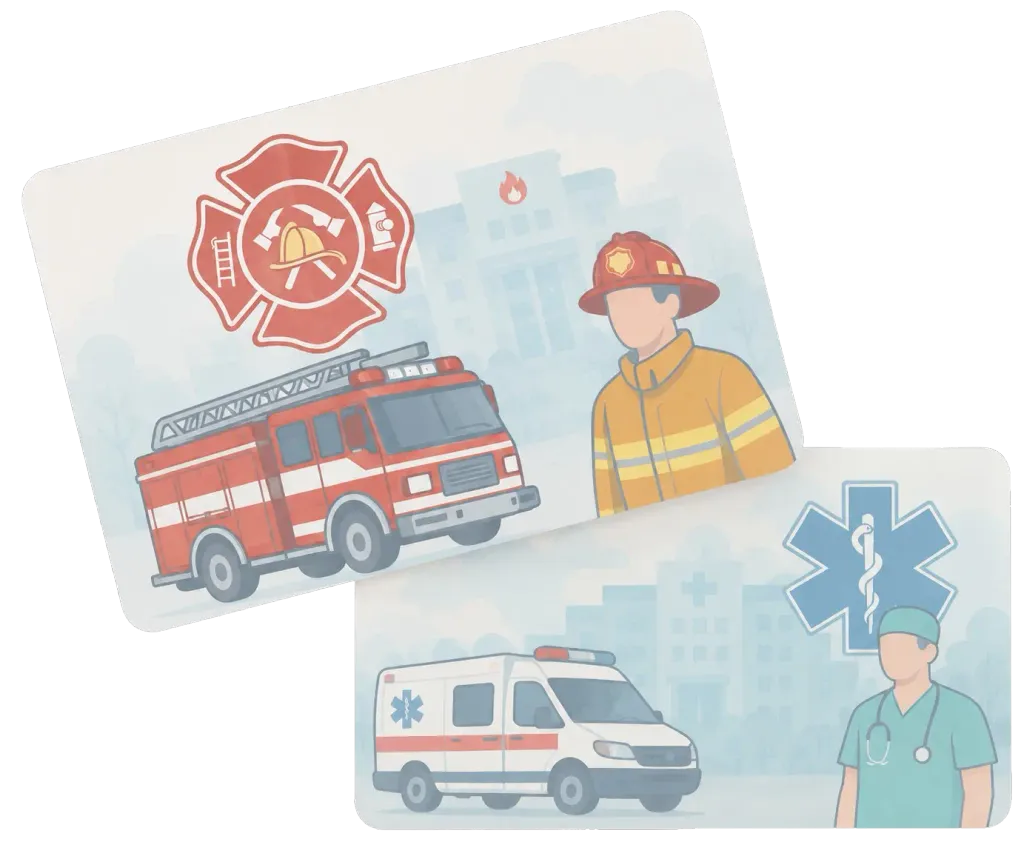
Run multiple independent fire stations under one unified system. Create and manage as many fire departments or rescue stations as you want—perfect for servers with city, volunteer, airport, industrial, or specialized emergency services.
- Create unlimited fire department stations such as city fire departments, volunteer stations, airport rescue, industrial brigades, or any custom emergency service—all operating simultaneously within one script.
- Each station maintains its own vehicles, equipment, storage, personnel, and finances—completely independent from other stations.
- Perfect for servers with multiple fire departments or rescue organizations. Every station operates independently while sharing the same powerful backend system.
Public Forms
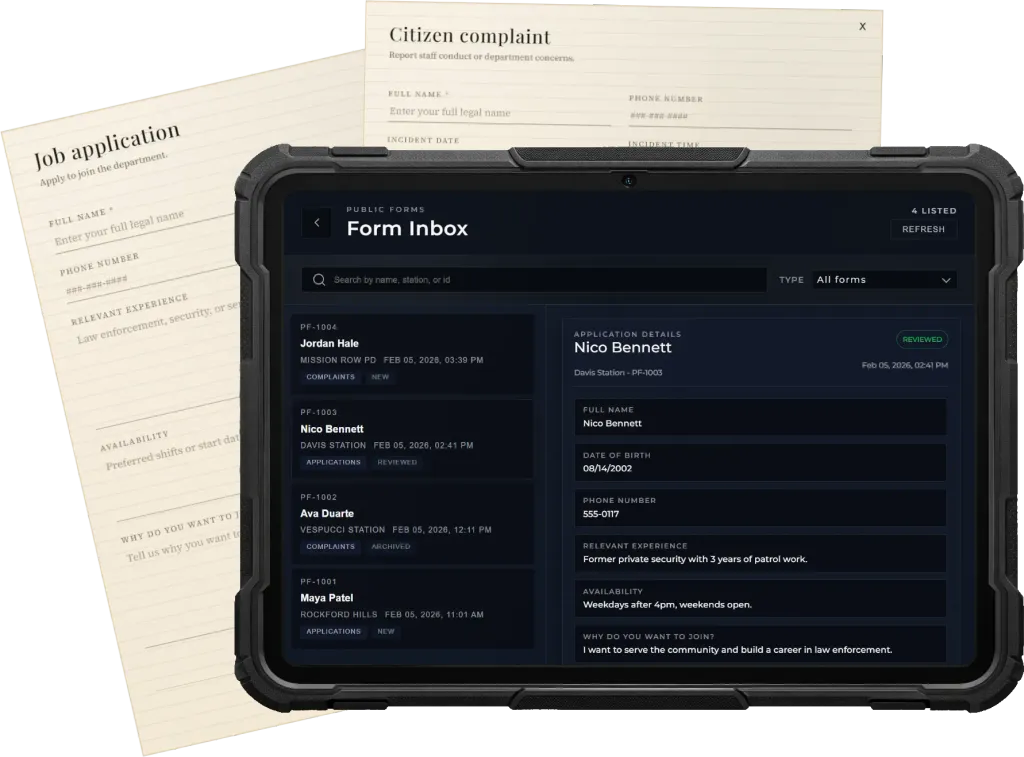
Allow citizens to submit structured requests directly at designated locations. From job applications to complaints, players interact with a public terminal to fill out forms that staff can later review, process, and archive through their tablet interface.
- Place configurable form terminals where citizens can browse available forms and submit job applications or complaints through an immersive UI.
- Authorized staff can access submissions from their tablet, read responses, track applicant details, and mark entries as reviewed or processed.
- Each form records submission time, player identity, and review status, ensuring transparency and organization while preventing duplicate handling.
New in Jobs Base 1.26.0
Player Multi-Job System
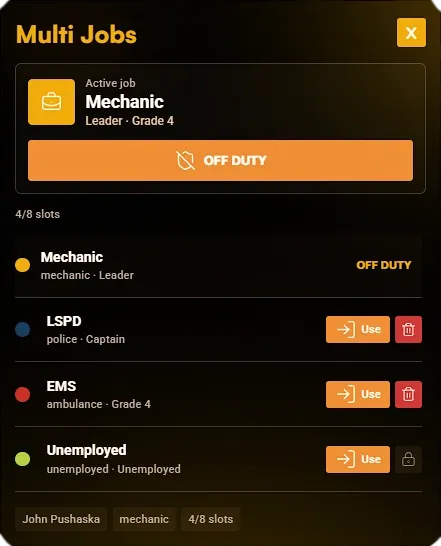
A complete multi-job system is included so players can be employed by multiple jobs at the same time and switch between their available jobs from an in-game menu whenever they need to.
- Players can keep several job employments on their character instead of being limited to one active job slot.
- A dedicated menu lets players switch to any available job at any time, making off-duty, secondary job, and cross-department roleplay easier to manage.
- Exports are included so third-party systems can read and work with the player's multi-job data.
- The system is not limited to Sky jobs. It can manage jobs from across the server, including custom jobs and other resources.
Monthly
Access the Fire System feature set with flexible monthly billing. Ideal for testing or short-term projects.
19.99 €
/month incl. VAT
- Full Access to All Features
- Lifetime Updates
- 24/7 Discord Support
Lifetime
Lifetime AccessPay once, use forever. Best value for long-term servers or serious projects that want a dedicated fire department system with full support.
79.99 €
incl. VAT
- Full Access to All Features
- Lifetime Updates
- 24/7 Discord Support
Engineered for Performance, Security, and Ease
Our script combines high performance, security, and ease of use - everything you need to enhance your server and deliver a reliable fire department experience for your players.
Ultra Low Latency
Designed for high performance with minimal ms impact, even on large servers with active emergency service roleplay.
Advanced Security
Server-side validation and controlled permissions help keep fire department workflows fair, stable, and protected.
Plug and Play
Install the resource, configure your department, and bring firefighter roleplay online without unnecessary setup friction.
Guaranteed Compatibility
We guarantee the script will work on your server within 7 days - or we will refund you, no questions asked.
Detailed Documentation
Step-by-step documentation helps you install, configure, and maintain the system with confidence.
Reliable Support
Need help? Our active Discord support team is here to assist you whenever you need it.
Feature Requests & Custom Integrations
At Sky-Systems, our goal is to create the best and most complete scripts possible. If you're missing a feature, add it to the Feature Voting Board so the community can upvote and help us prioritize what matters most. For custom integrations with systems not listed, open a ticket on our Discord and we'll review the best way to support it.
Supports All Major Frameworks
Our script is designed to work out of the box with the most popular frameworks. And thanks to open-source framework-related code, it's easy to adapt to any other framework.



10% off your first purchase
Subscribe to our newsletter for product announcements, news, exclusive discounts, and 10% off your first purchase.
Sign in with Cfx.re so your one-time discount can be securely assigned to your account.
By clicking Subscribe, you accept our privacy statement. Discount eligibility is verified through the signed-in Cfx.re account, and each code can be redeemed once. You can unsubscribe at any time.
Upgrade Your Fire Department Today
Bring a dedicated fire rescue workflow to your server with a complete Fire System for FiveM.